Add a Sales Commission Agent
Purpose
The Sales Commission Agent feature allows administrators to add and manage agents who are eligible to receive a commission based on sales. The commission percentage can be defined for each agent according to the organization's requirements.
Navigation
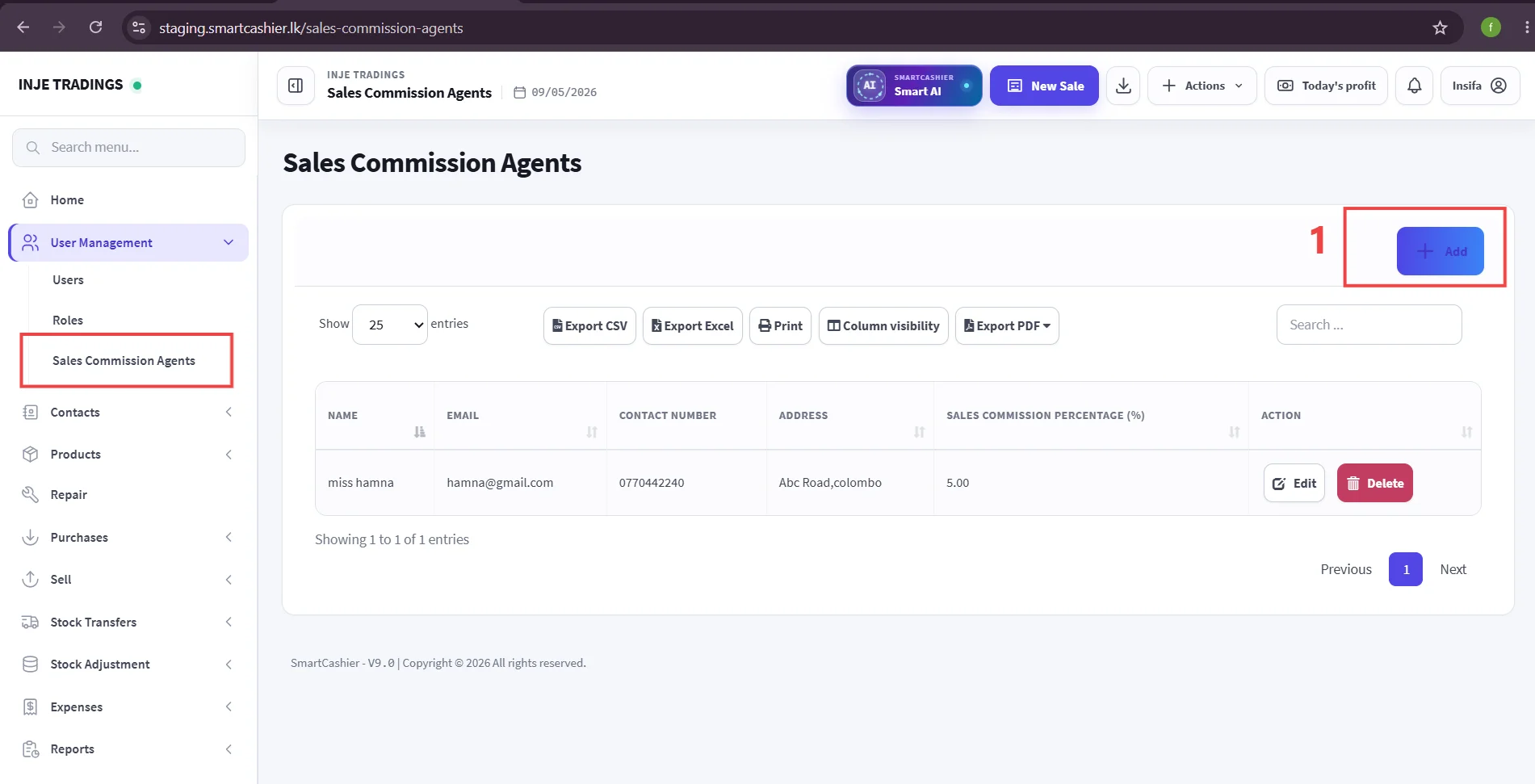
Go to:
User Management → Sales Commission Agents → Add Sales Commission Agent
Step 1: Click the Add button.
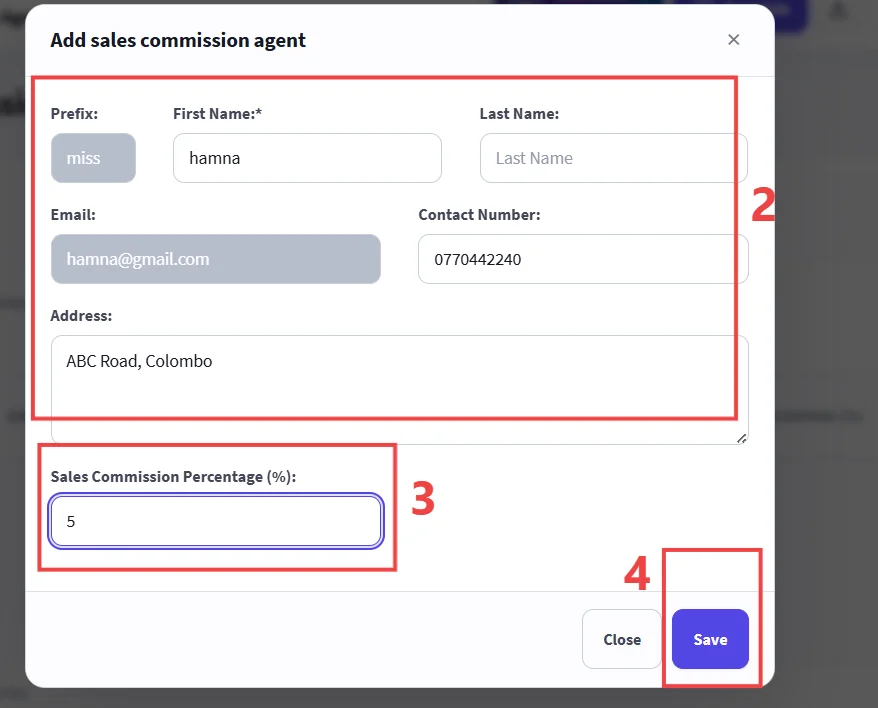
Step 2: Enter personal details and contact information
Step 3: Set commission percentage(%)
Step 4: Click Save buuton to confirm and add the sales agent to the system.
Example
For example, if a sales agent is entitled to receive a 5% commission on eligible sales, enter 5 in the Sales Commission Percentage (%) field. The system can then use this configured percentage when calculating the agent's sales commission.
Important
Ensure that the correct commission percentage is entered, as this value may affect the calculation of sales commissions. Verify the agent's contact information before saving.