Purpose
To add a new supplier to the system with the required details.
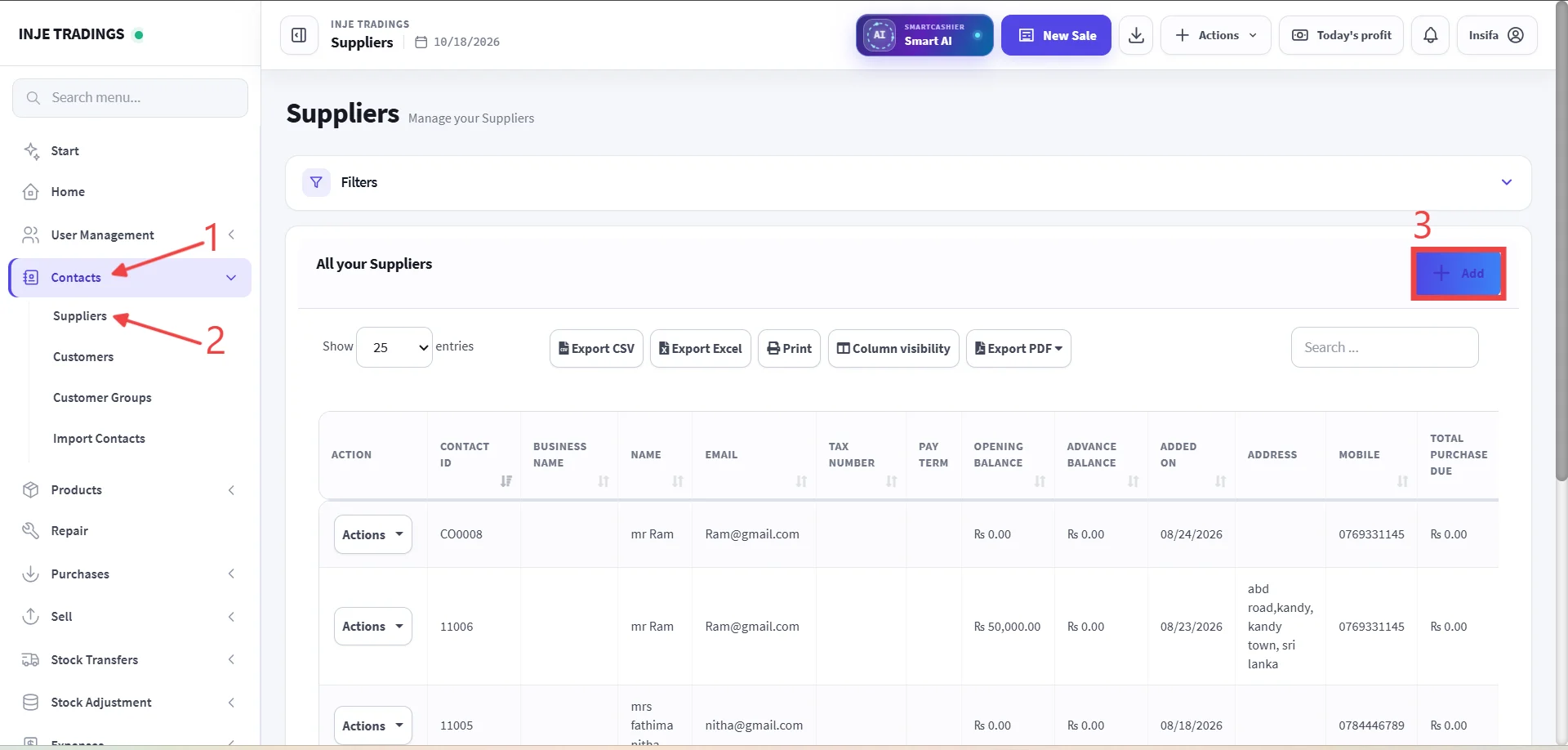
Step 1: Go to contacts.
Step 2: Select Suppliers.
Step 3: Click + Add.
Before adding a Supplier, ensure that the customer does not already exist in the system.
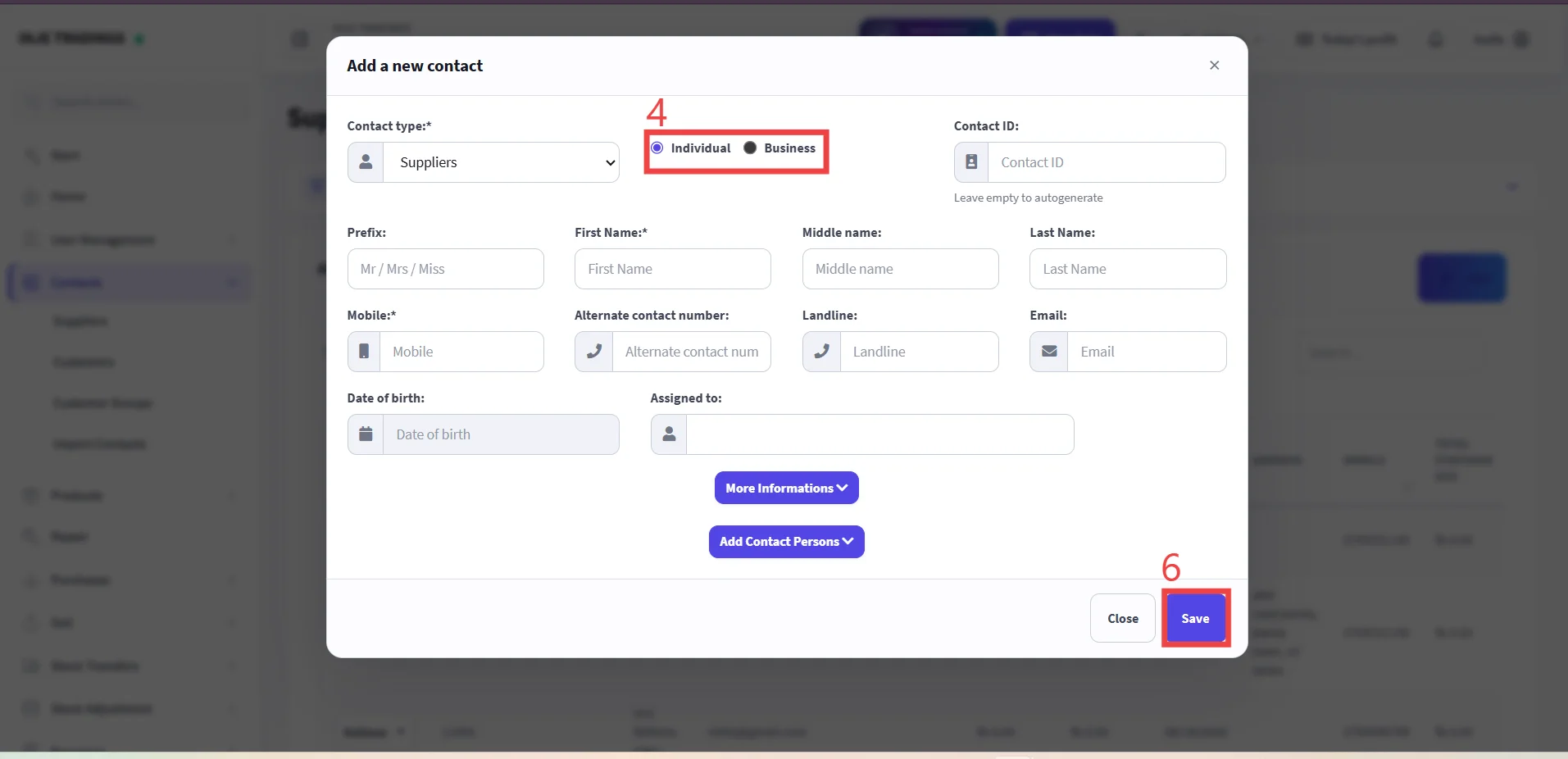
Step 4: Select Supplier type Individual or Bussiness.
Step 5: Enter Supplier Information
Fields marked with a red asterisk (*) are required and must be completed.
Step 6: Click Save.