How to Add Product Variations
Navigation
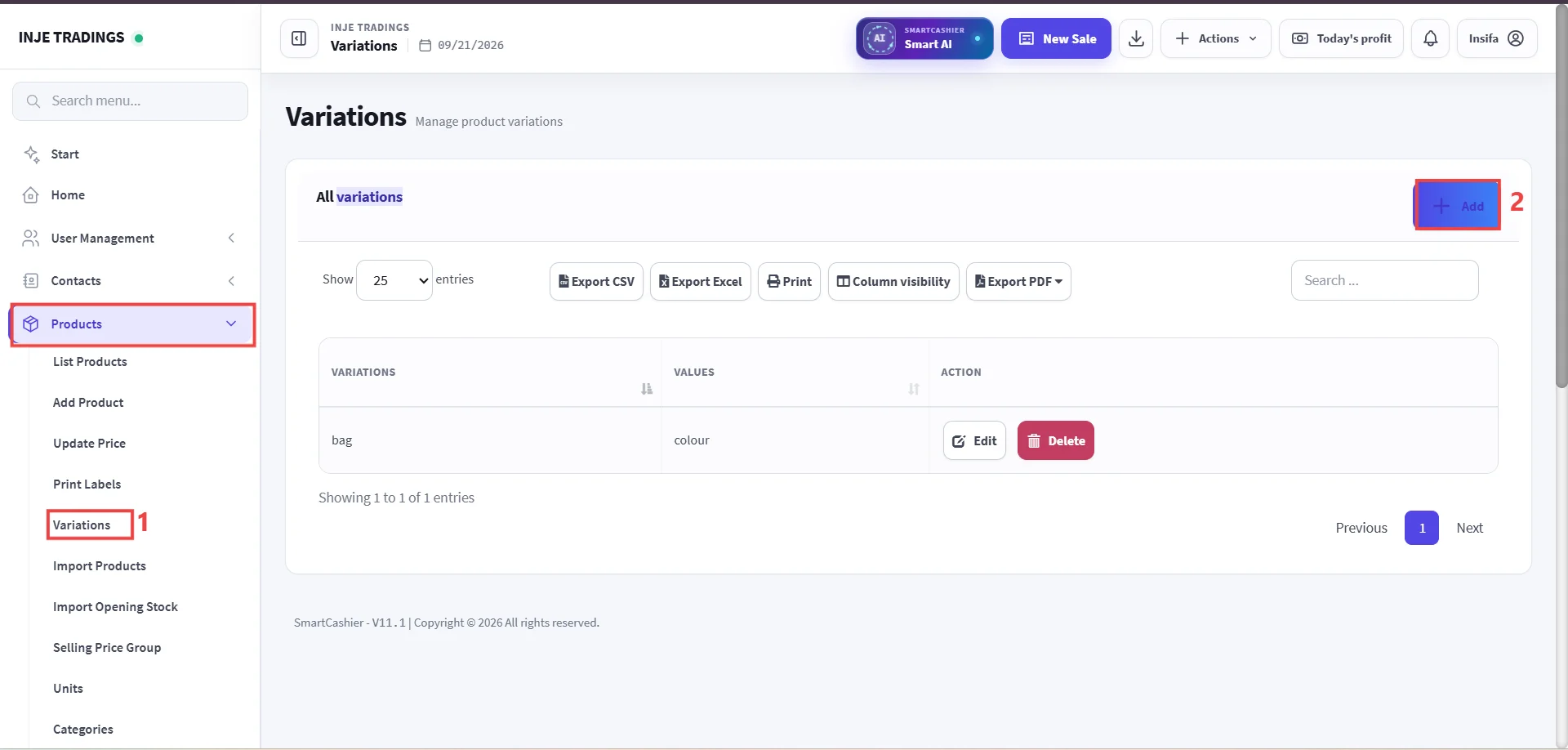
- Go to Products -> Select Variations.
Step 1: Access Variations Management.
Step 2: Click Add button.

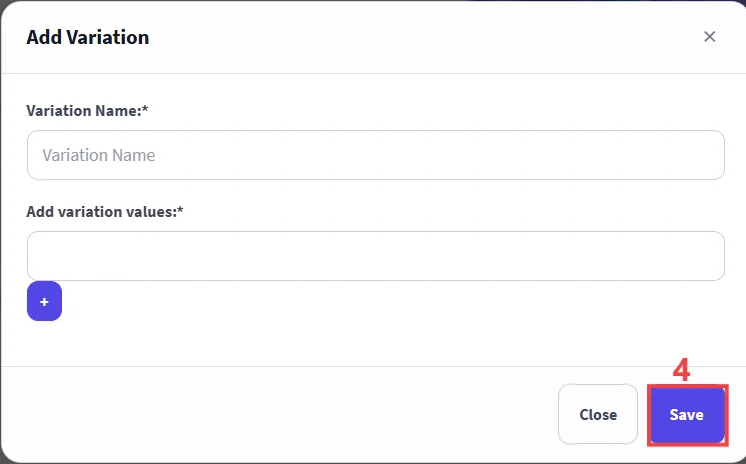
Step 3: Enter Variation Details.
Step 4: Save the Variation.
Important
Use the purple + icon to add multiple values under a single variation attribute.
Important
Creating variation templates ahead of time saves time during product entry and ensures consistent product catalog naming.