HelpDocs SaaS Suite
Sign In

How to Add Product Units

How to Add Product Units

  • Go to Products -> Select Units.

Step 1: Access Units Management.

Step 2: Click Add button.
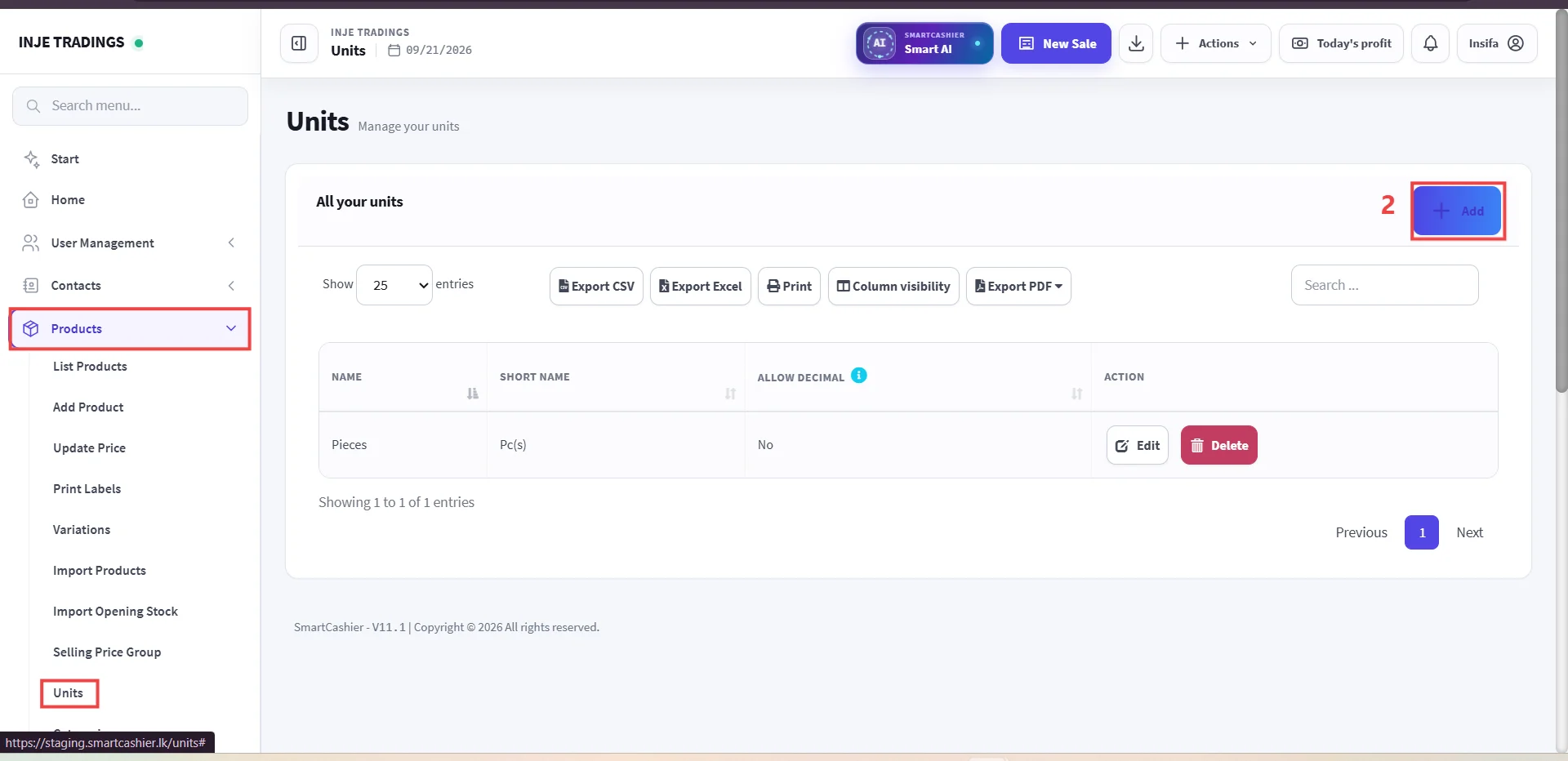
F67C323A 2162 4623 8E43 AE9087256E9B edited

Step 3: Fill in Unit Details.

Step 4: Click Save.
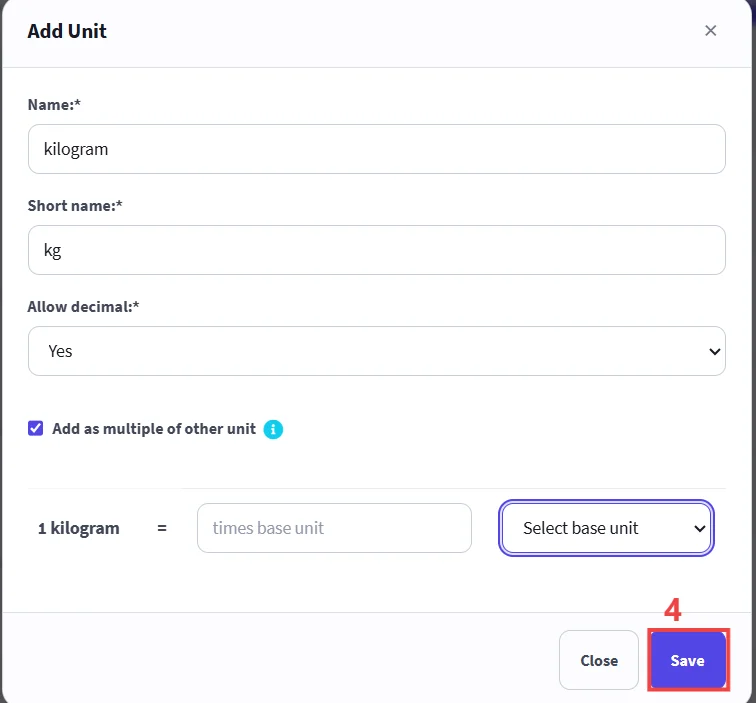
BA47C792 0C89 4F04 A4A1 4696BE150585 edited
Important

Use Add as multiple of other unit when defining bulk packaging units (e.g., Box of 10) to enable automated stock conversion.

Was this guide helpful?

Your direct feedback helps our technical writing team continuously improve documentation quality.

← Previous Guide

How to Add Product Categories

Next Guide →

How to Add Product Variations