How to Add Product Categories
Navigation
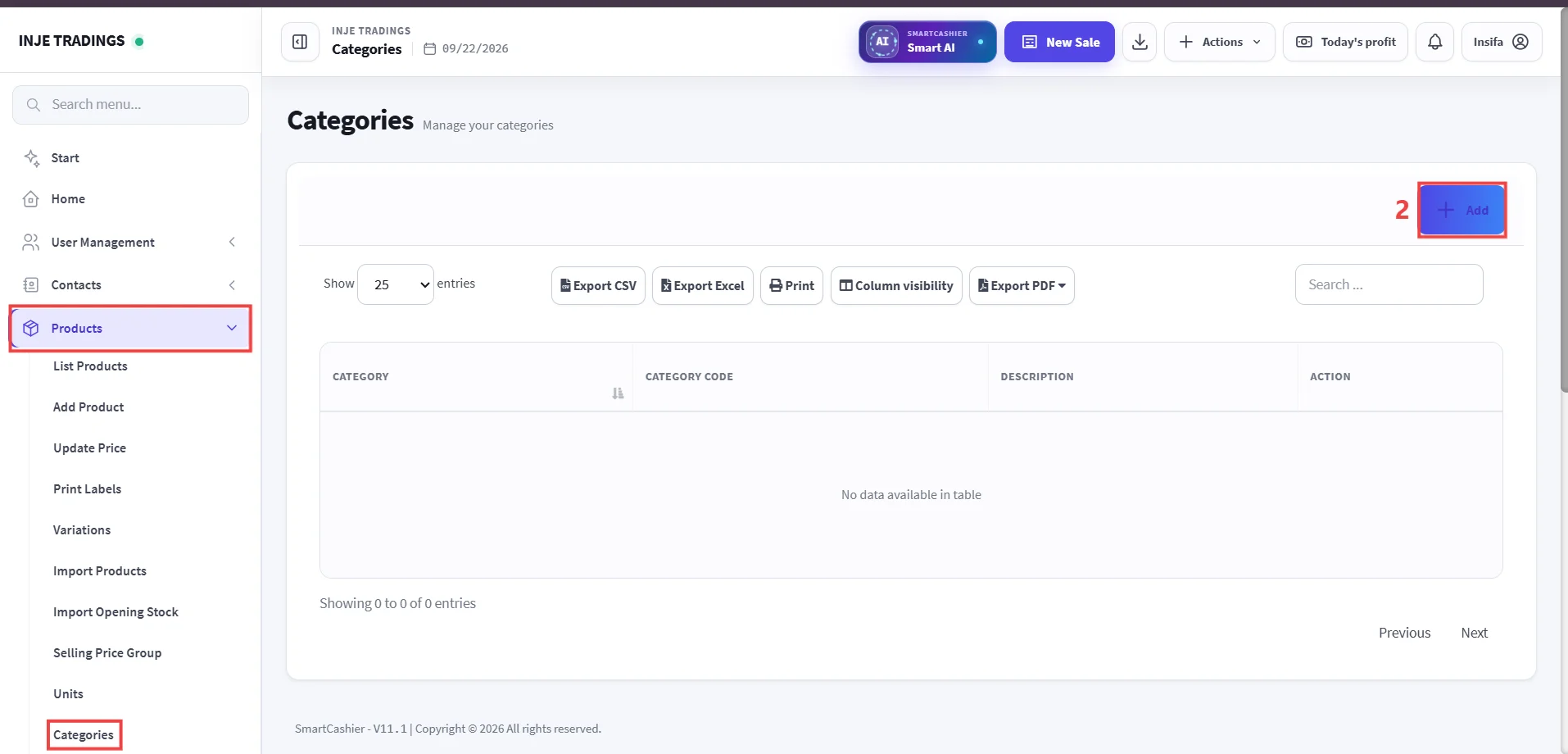
- Go to Products -> Select Categories.
Step 1: Access Categories Management.
Step 2: Click Add.
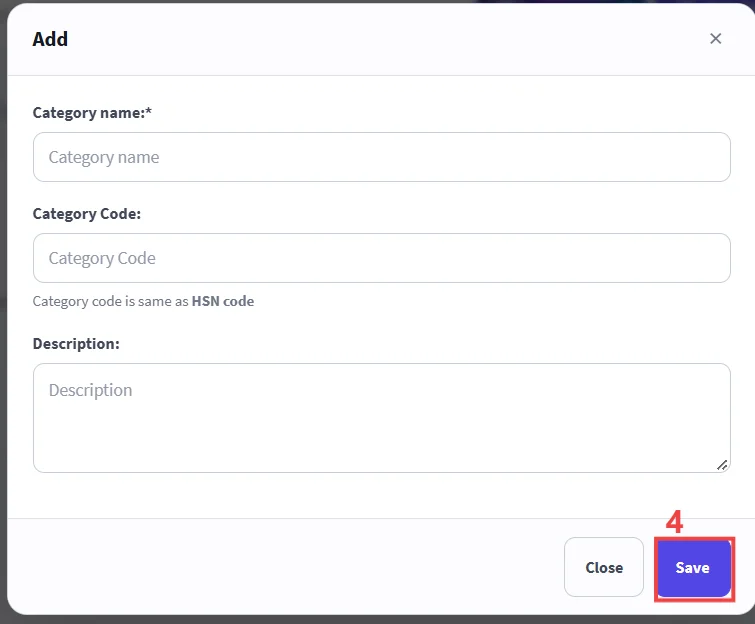
Step 3: Enter Category Details.
Step 4: Save.
Important
Categorizing your products speeds up checkout searches and provides accurate sales reports by product group.
Important
Fields marked with an asterisk (*) are required and must be completed before saving.