HelpDocs SaaS Suite
Sign In

How to Add Product Brands

How to Add Product Brands

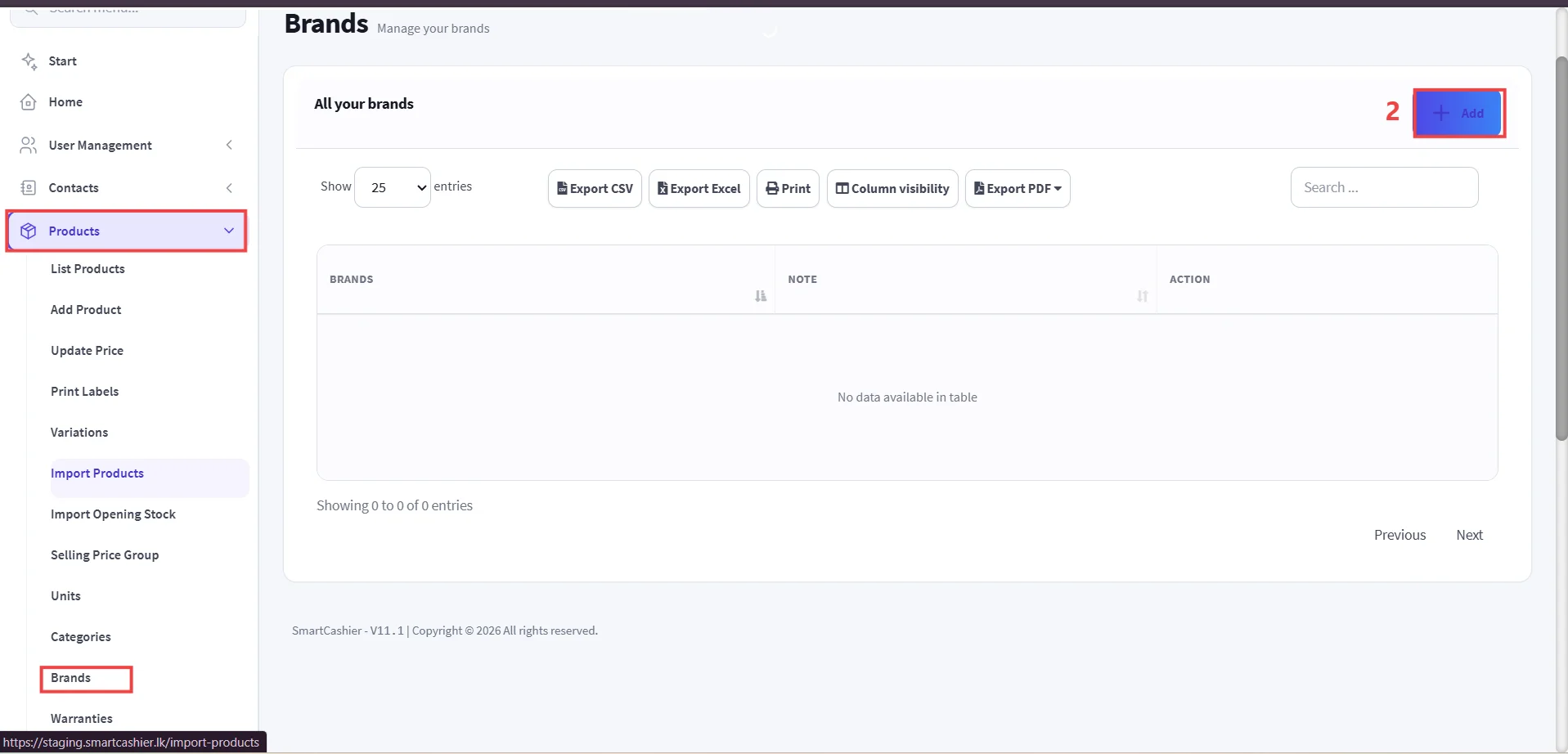
  • Go to Products -> Select Brands.

Step 1: Access Brands Management.

Step 2: Click Add Button.
9231B38F FAB1 4DAF BB55 C57705B9B93C edited

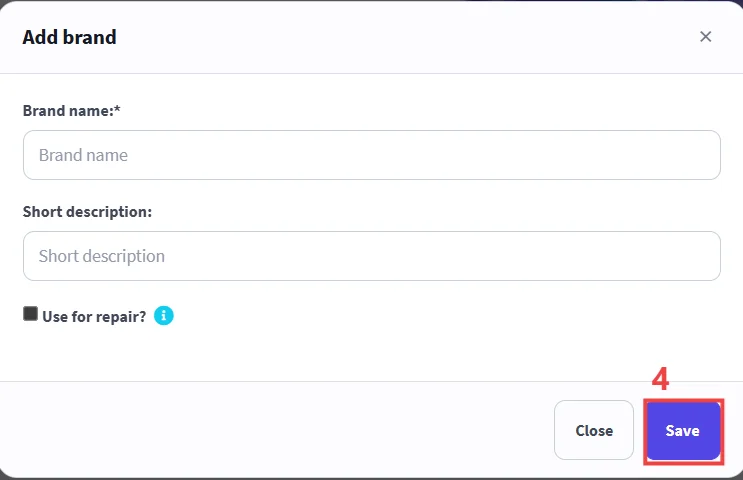
Step 3: Enter Brand Details.

Step 4: Click Save Button.
4C607EF4 CB14 4693 B244 11103A11B684 edited
Important

Fields marked with an asterisk (*) are mandatory.

Was this guide helpful?

Your direct feedback helps our technical writing team continuously improve documentation quality.

← Previous Guide

How to Add or Edit Opening Stock

Next Guide →

How to Add Product Categories