Purpose
This guide explains how to add or update opening stock for a product and maintain accurate inventory records.
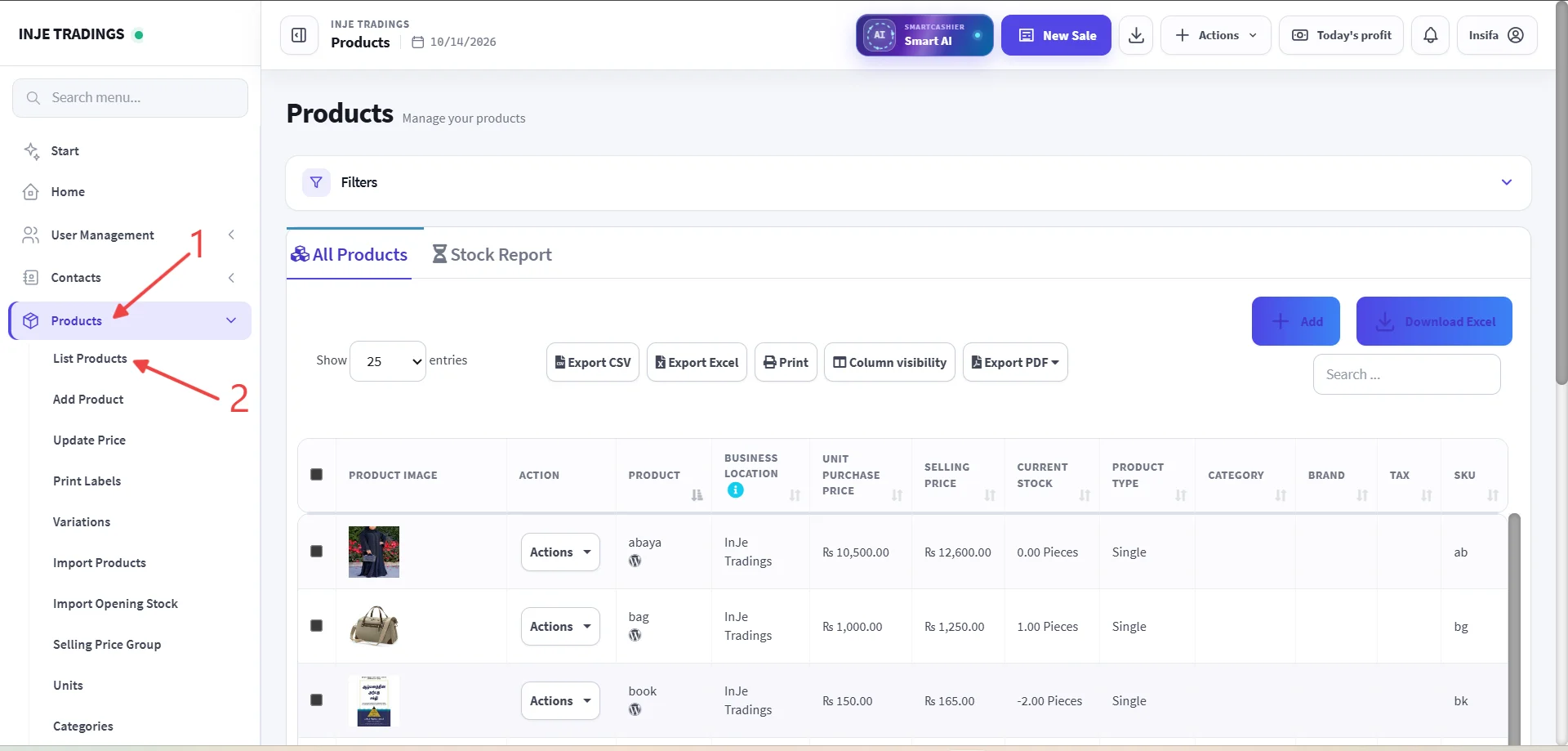
Step 1: Go to the Product.
Step 2: Click List Products.
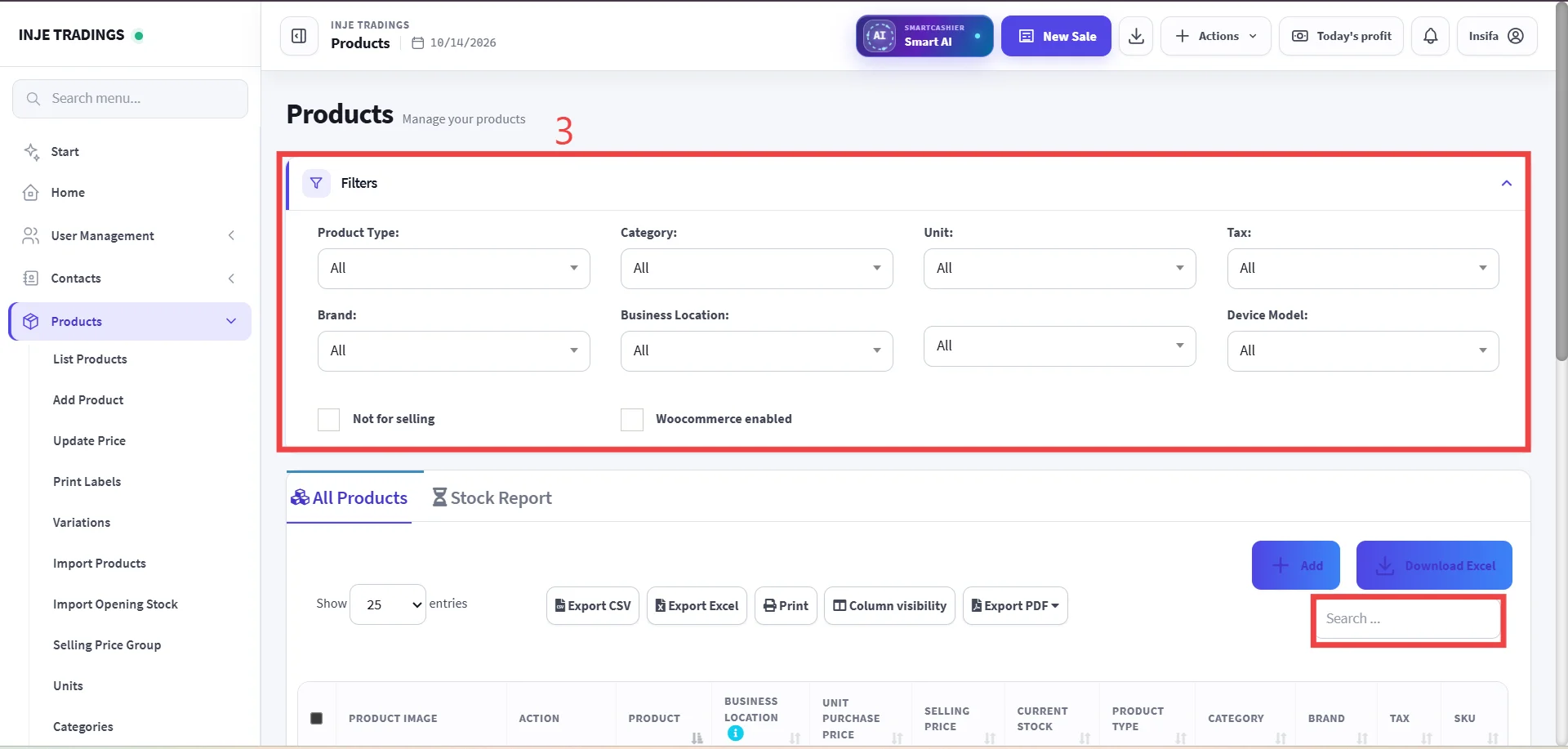
Step 3 : Locate the Product.
You can use filters to find product easily and search the product using SKU, Product name.
Important
Confirm that you have selected the correct product before add or edit stock
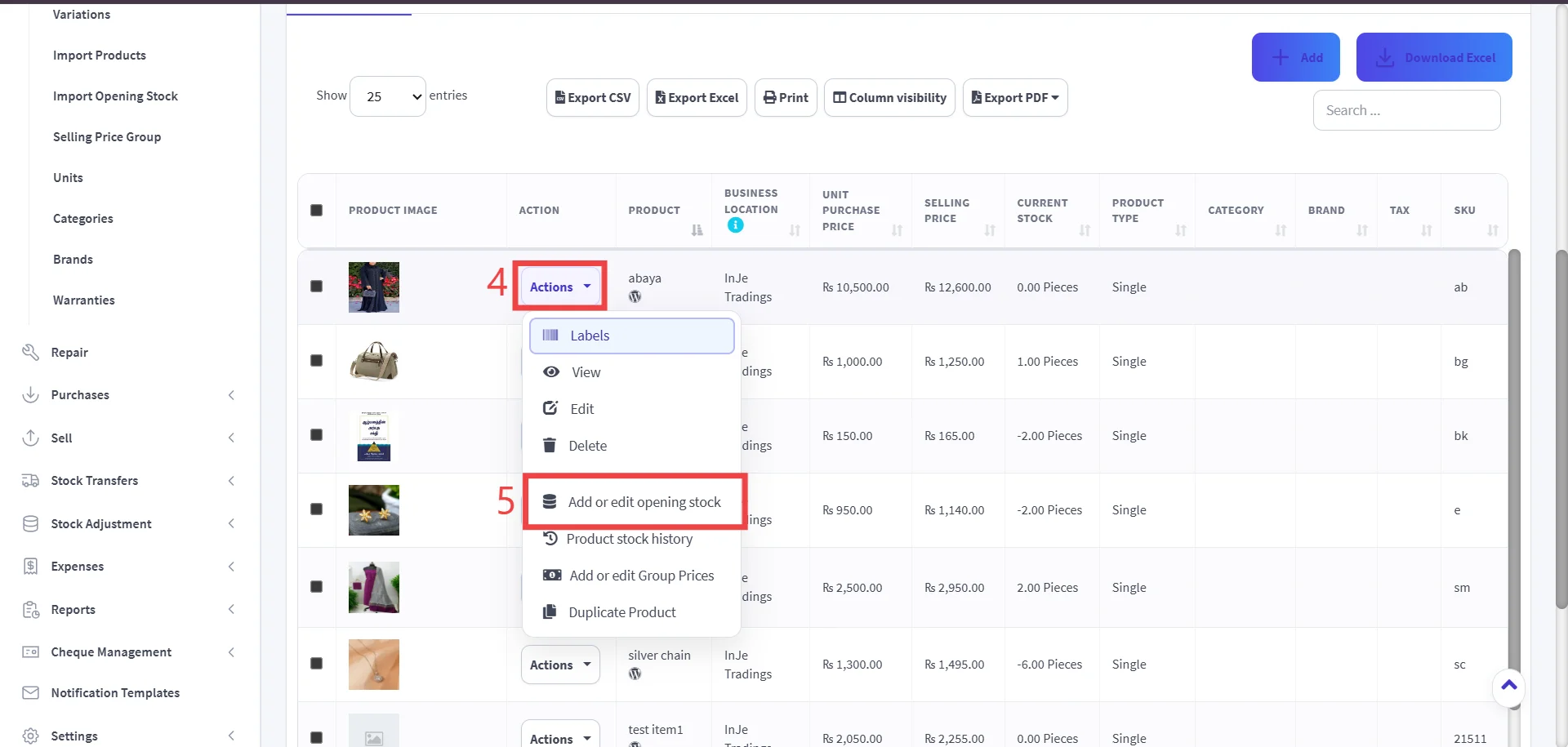
Step 4 : Open the Action Menu.
Step 5 : Select "Add or Edit Opening Stock"
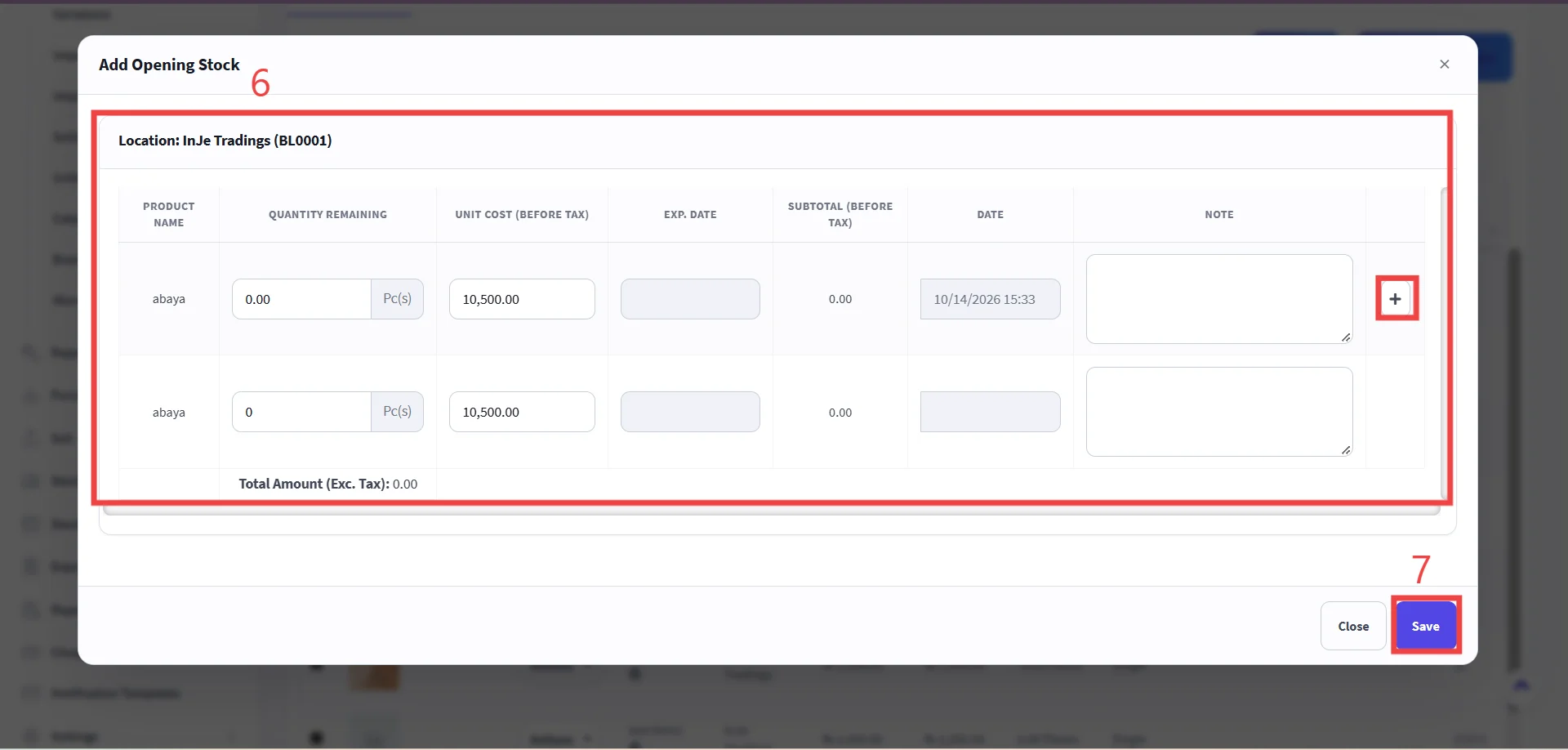
Step 6: Enter Stock Details.
Enter product Stock Count, price and other necessary details.
Warning
If you are adding the opening stock for the first time, enter it in the first row. If not (may be second time or more then that), please click the "+" icon and add the stock in the newly created row.
Step 7 : Click Save Changes.
Important
Double check the quantities before saving, to ensure your inventory levels remain accurate.