Purpose
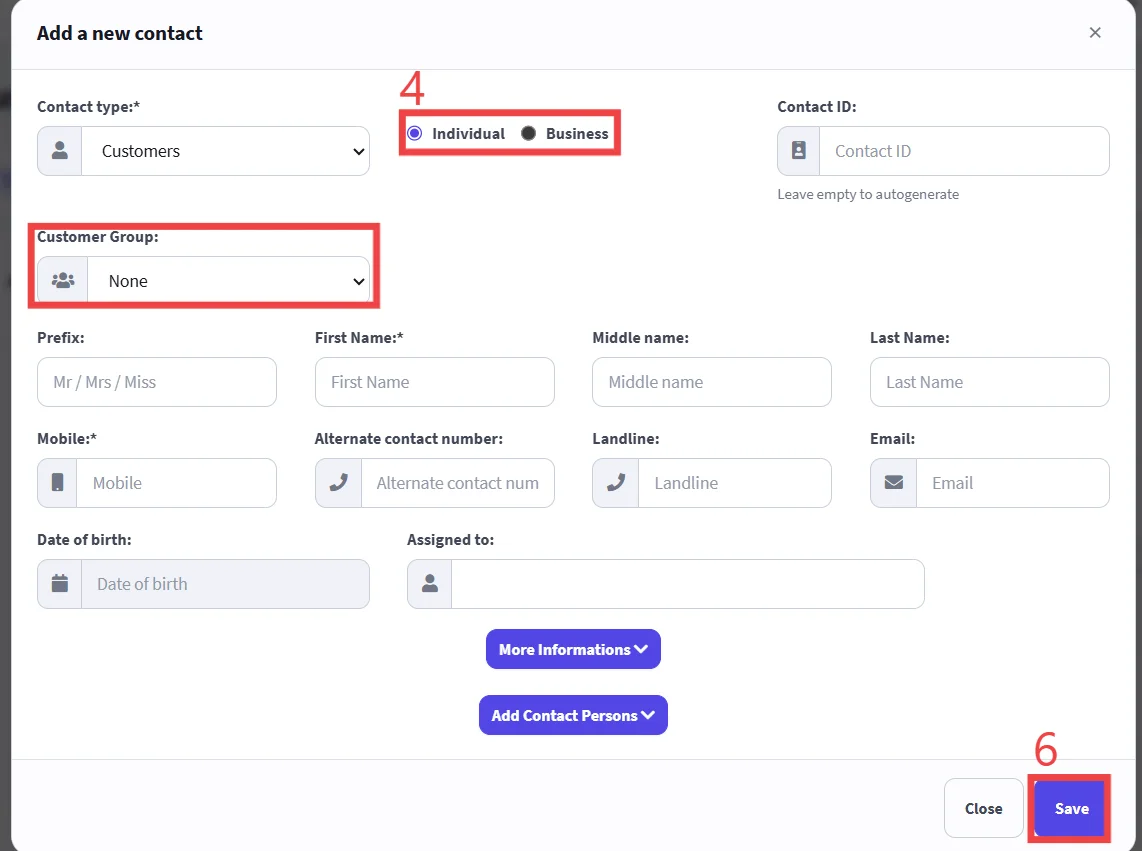
To add a new customer to the system with the required details.
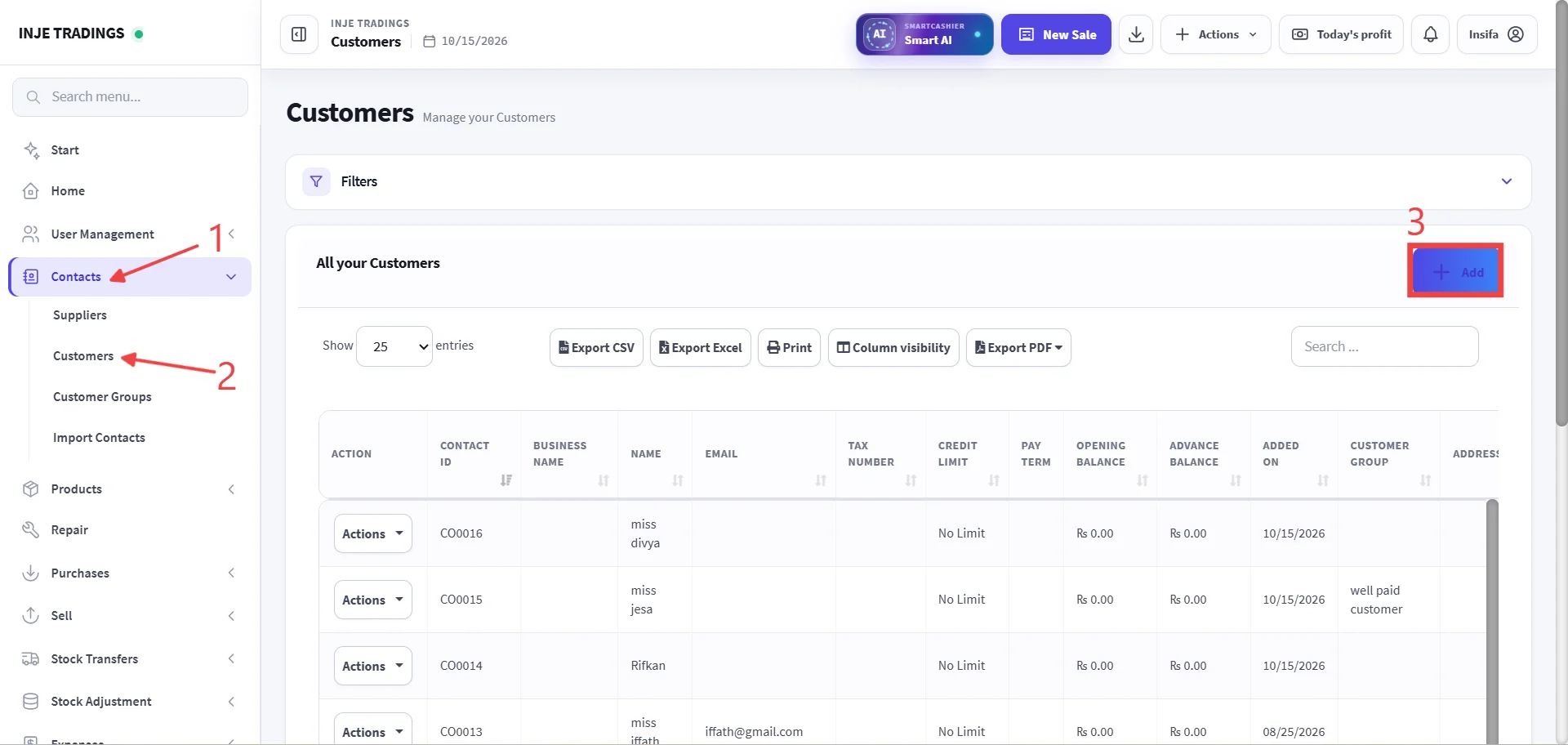
Step 1: Go to Contacts.
Step 2: Select Customers.
Step 3: Click + Add.
Before adding a customer, ensure that the customer does not already exist in the system.
Step 4: Select customer type Individual or Bussiness.
Step 5: Enter Customer Information
Fields marked with a red asterisk (*) are required and must be completed.
Important
Assigning a Customer Group ensures that preset discounts or special pricing rules associated with that group apply automatically during checkout.
Step 6: Click Save.