How to Bulk Import Products
Navigation
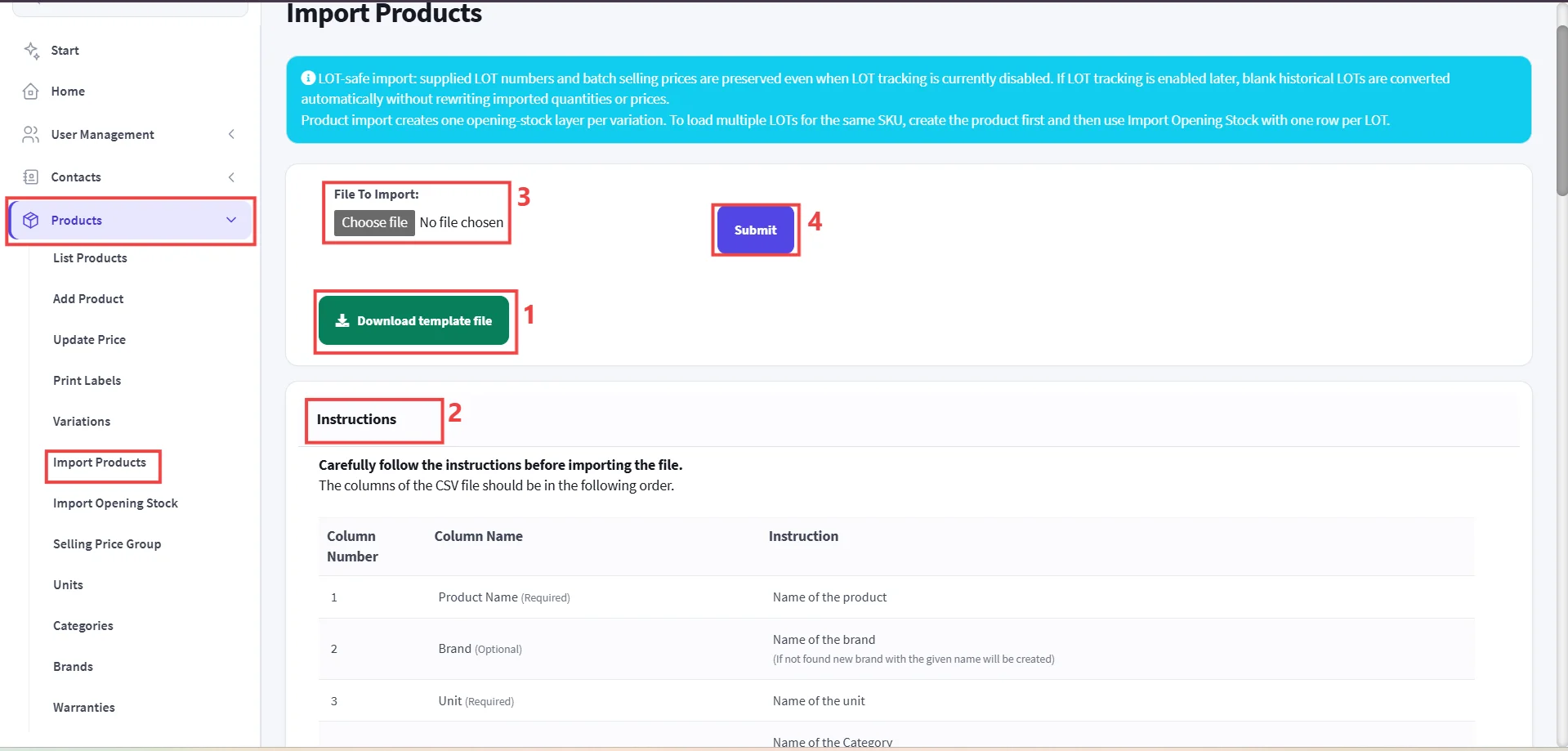
- Go to Products ->Select **Import Products.
**
Step 1: Download the Official Template.
Step 2: Prepare Your Product Data.
- Open the CSV file in Excel or Google Sheets.
- Enter product details strictly following the column order listed in the Instructions section at the bottom of the page
Step 3: Upload the Completed File, Click the Choose file button.
Step 4: Submit and Verify.
Important
LOT-Safe Import: Supplied LOT numbers and batch selling prices are preserved even if LOT tracking is currently disabled.