How to Enable Lot Number Tracking
Warning
Enabling Lot Number tracking is a permanent action. Once activated, future inventory and sales records will permanently reference LOT records and LOT tracking cannot be disabled.
Navigation
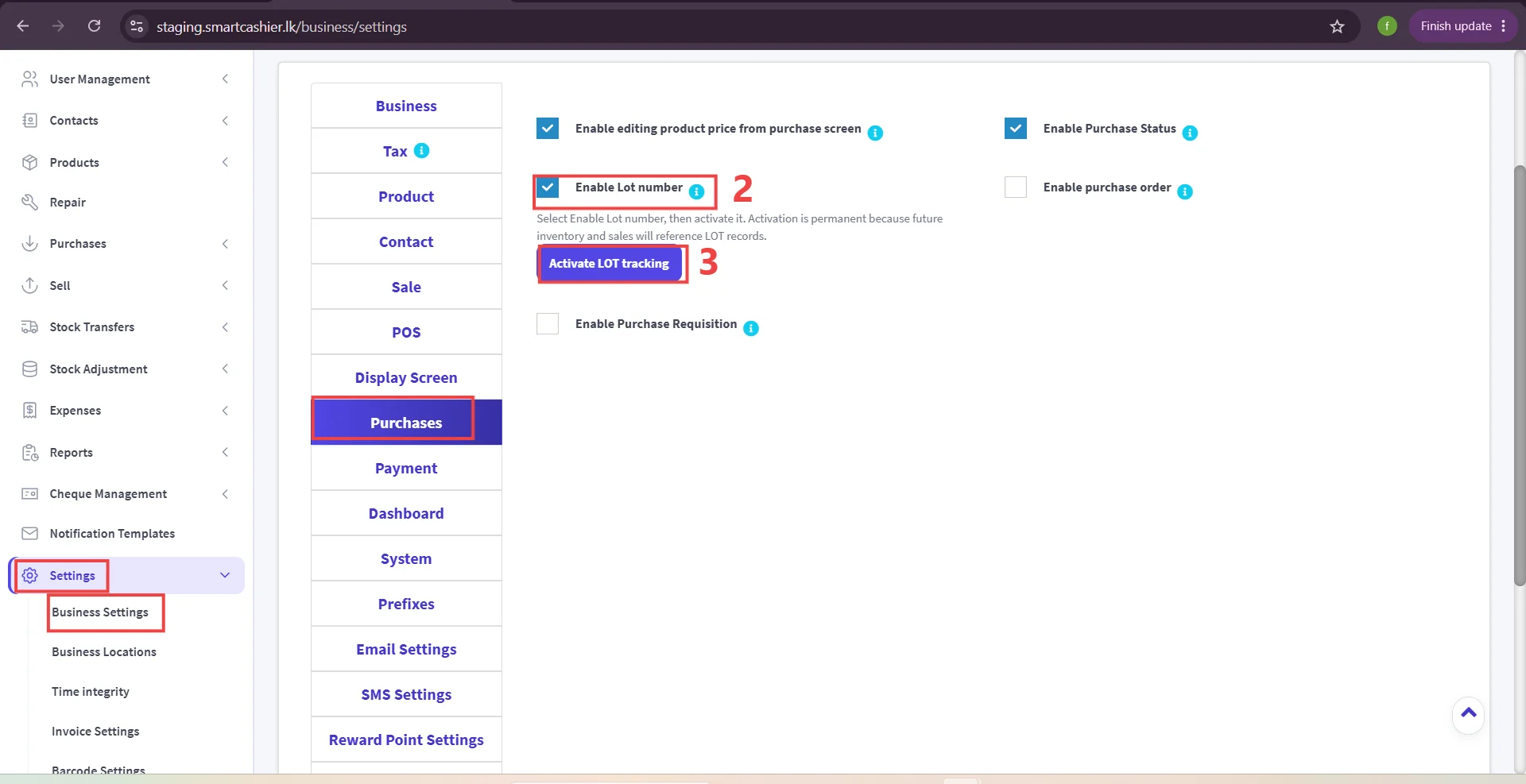
Go to** Settings** -> Select Business Settings-> Click on the Purchases tab.
Step 1: Access Purchase Settings.
Step 2: Select Lot Number Option.
Step 3: Activate LOT Tracking.
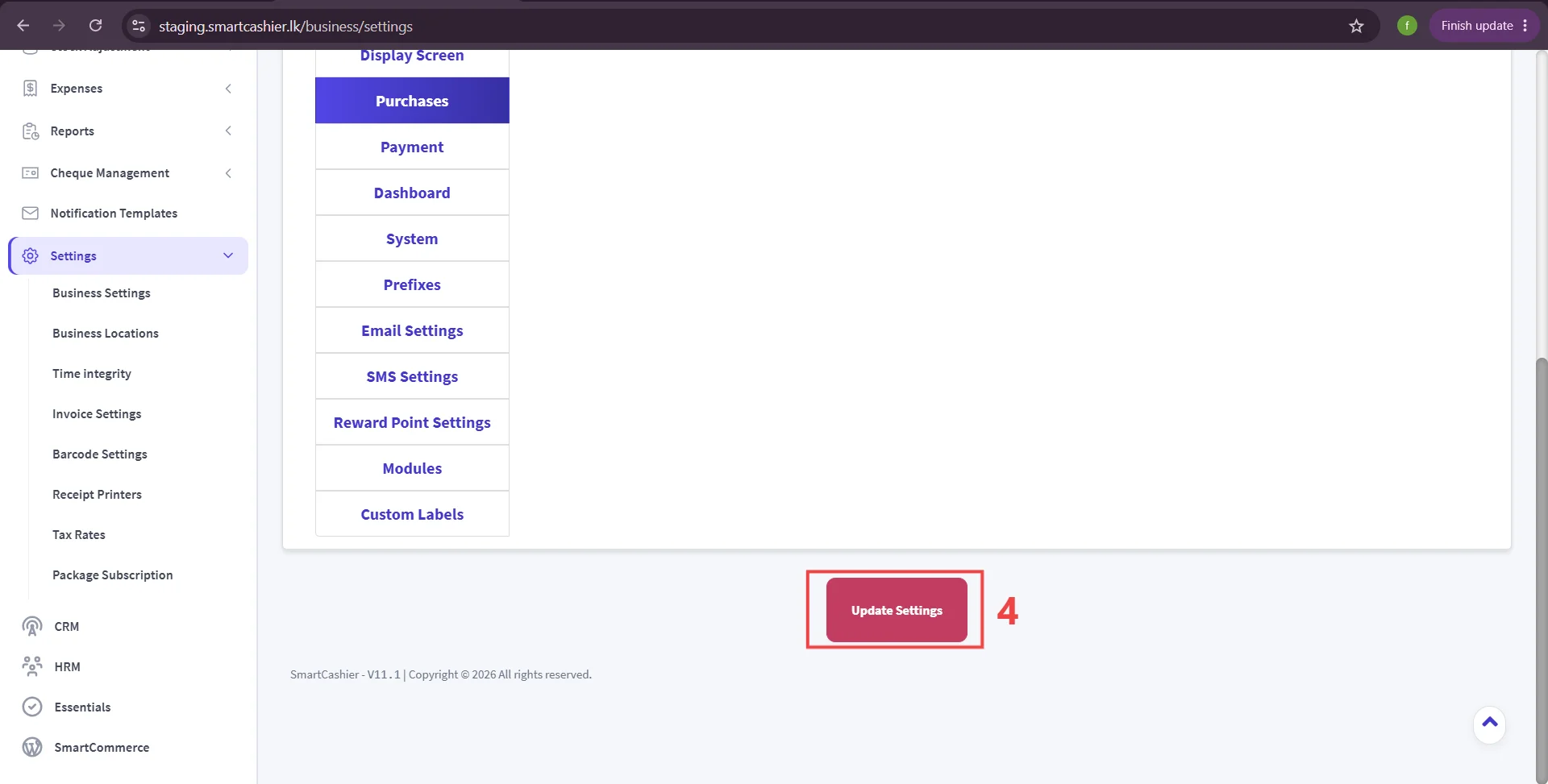
Step 4: Click Update setting.
Important
Ensure your operations require lot/batch management before clicking Activate LOT tracking.