Purpose
Edit existing product details in the system as required.
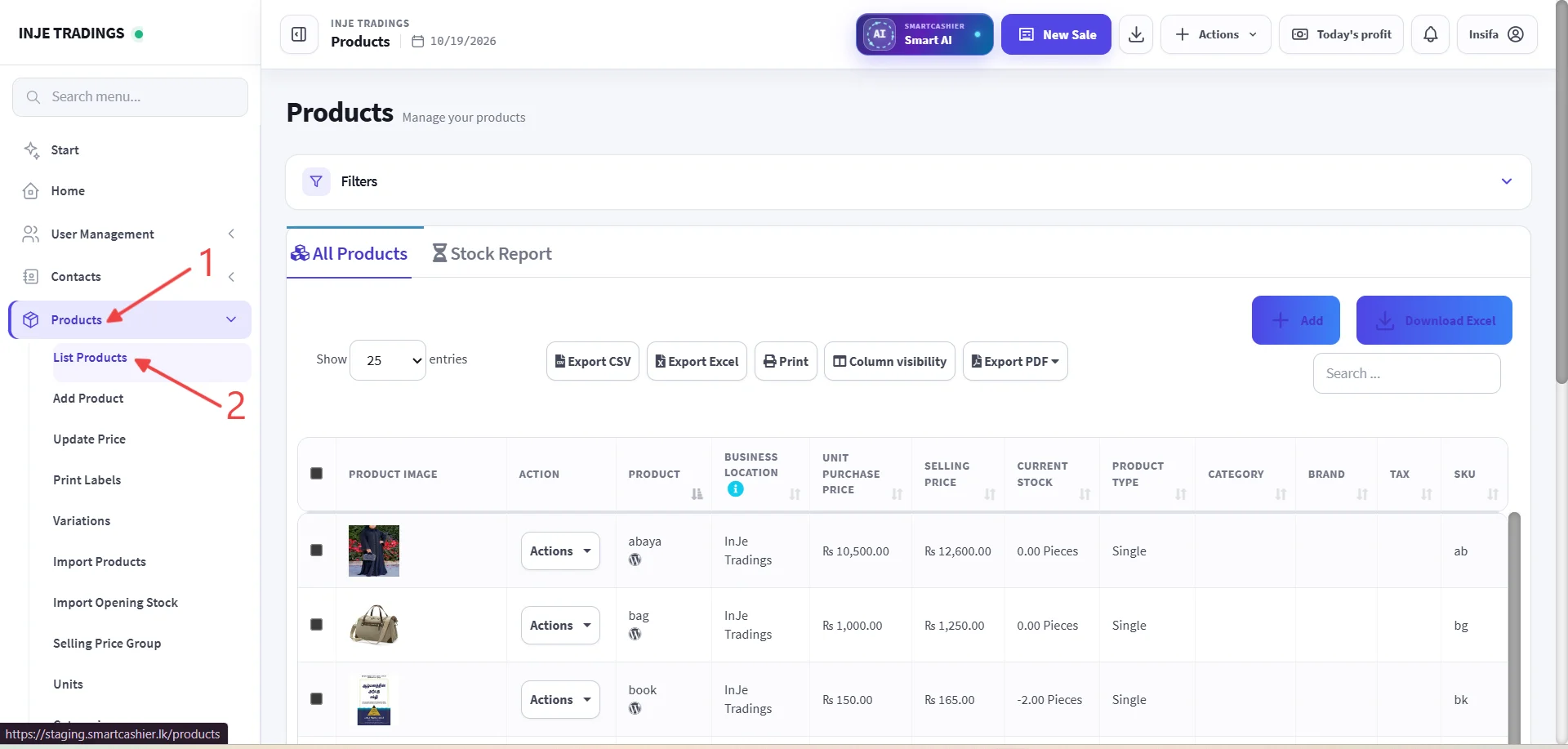
Step 1: Go to Products.
Step 2:Click List product.
Step 3: Locate the Product.
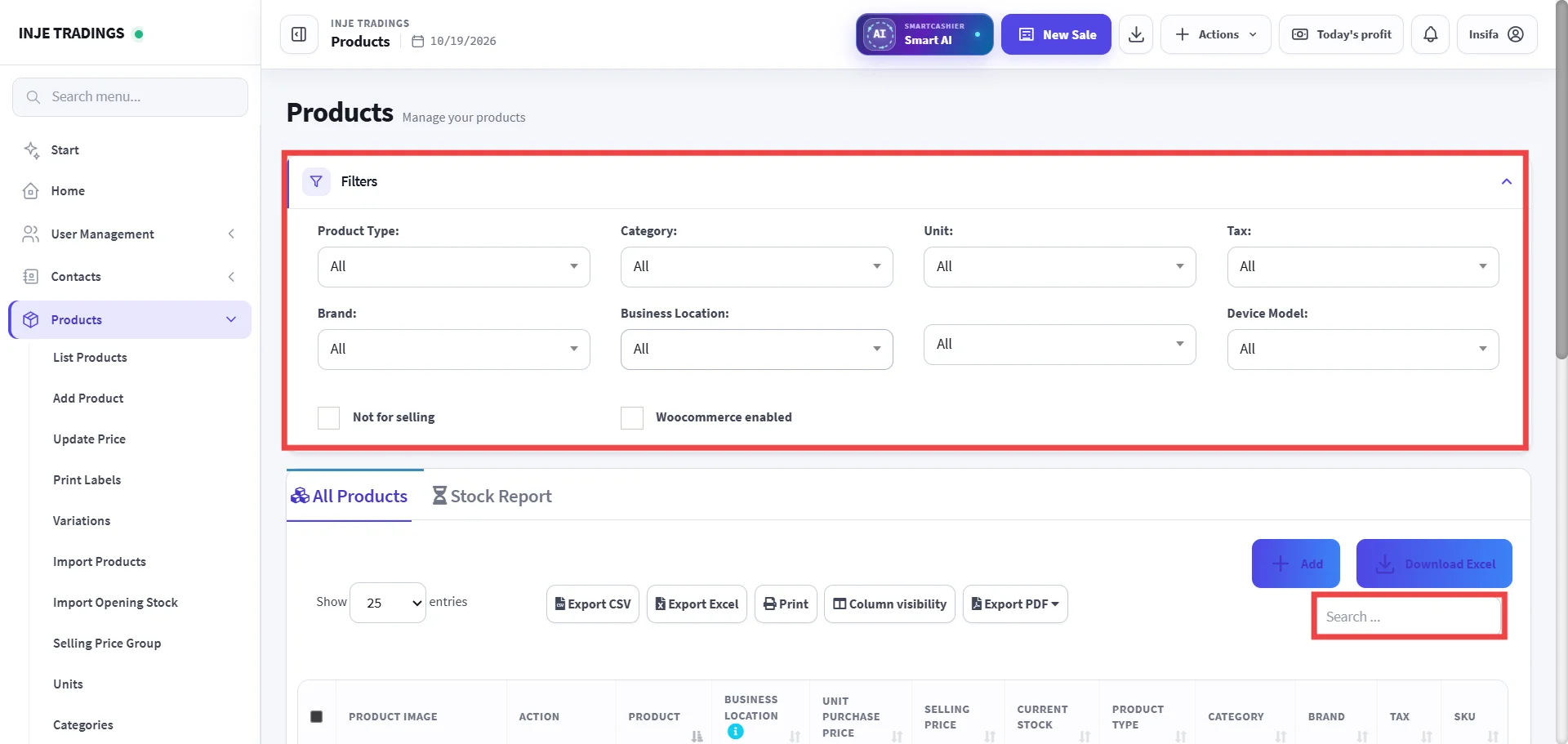
Important
Make sure you have selected the correct product.
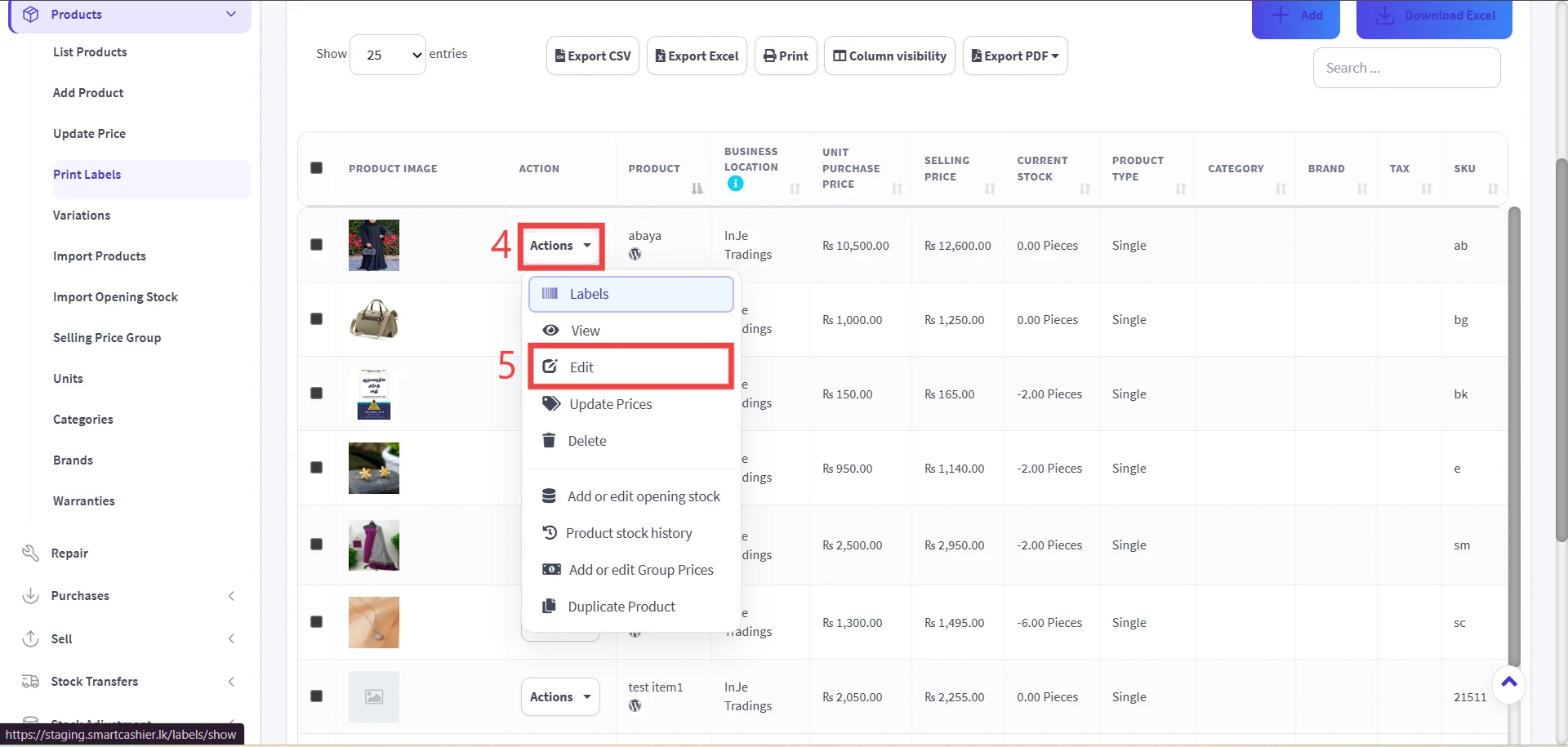
Step 4: Open the Action Menu.
Step 5: Click Edit button.
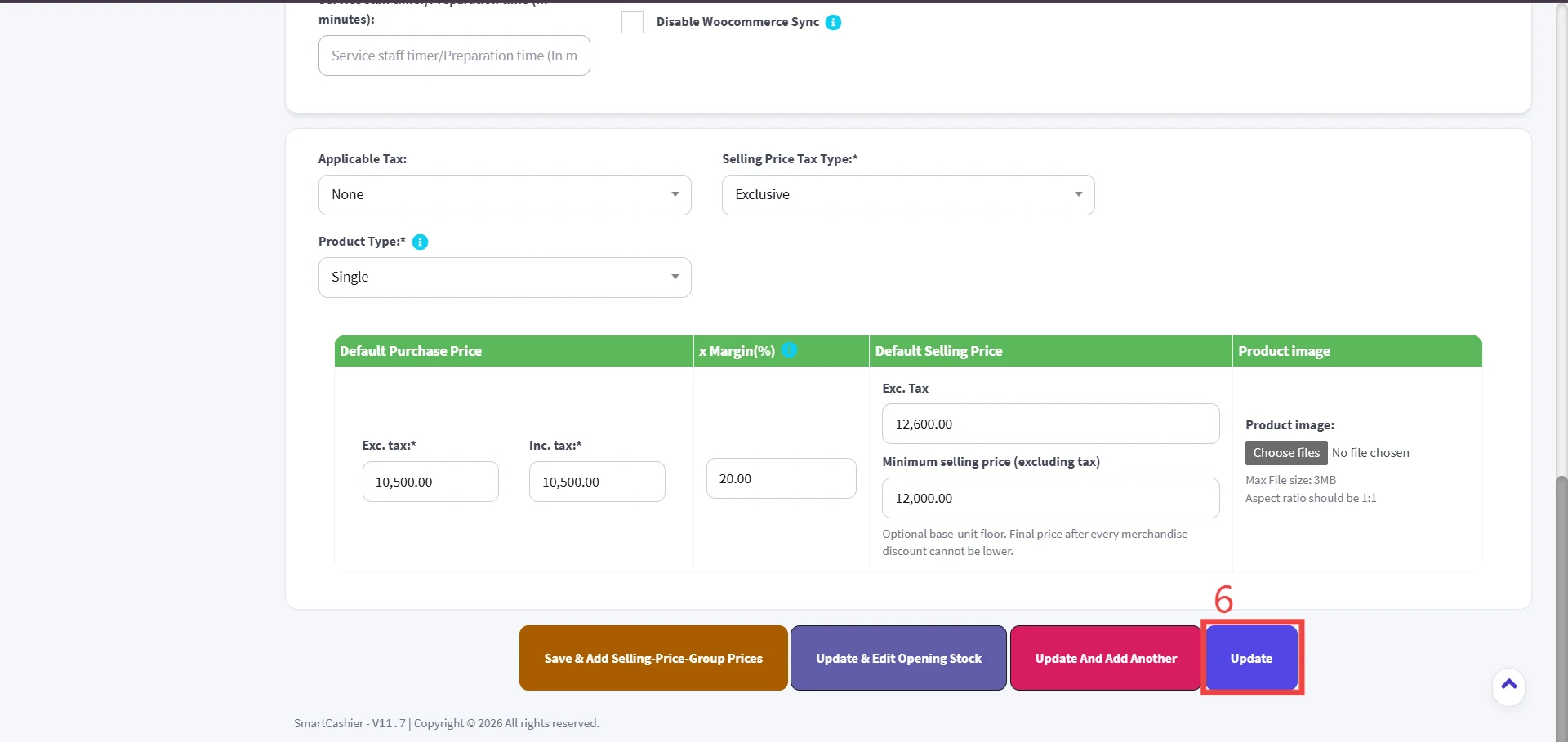
Please edit the product details as required.
Step 6:Click Update.