Purpose
To quickly find the original sale using the product name, SKU, or barcode for a return or exchange.
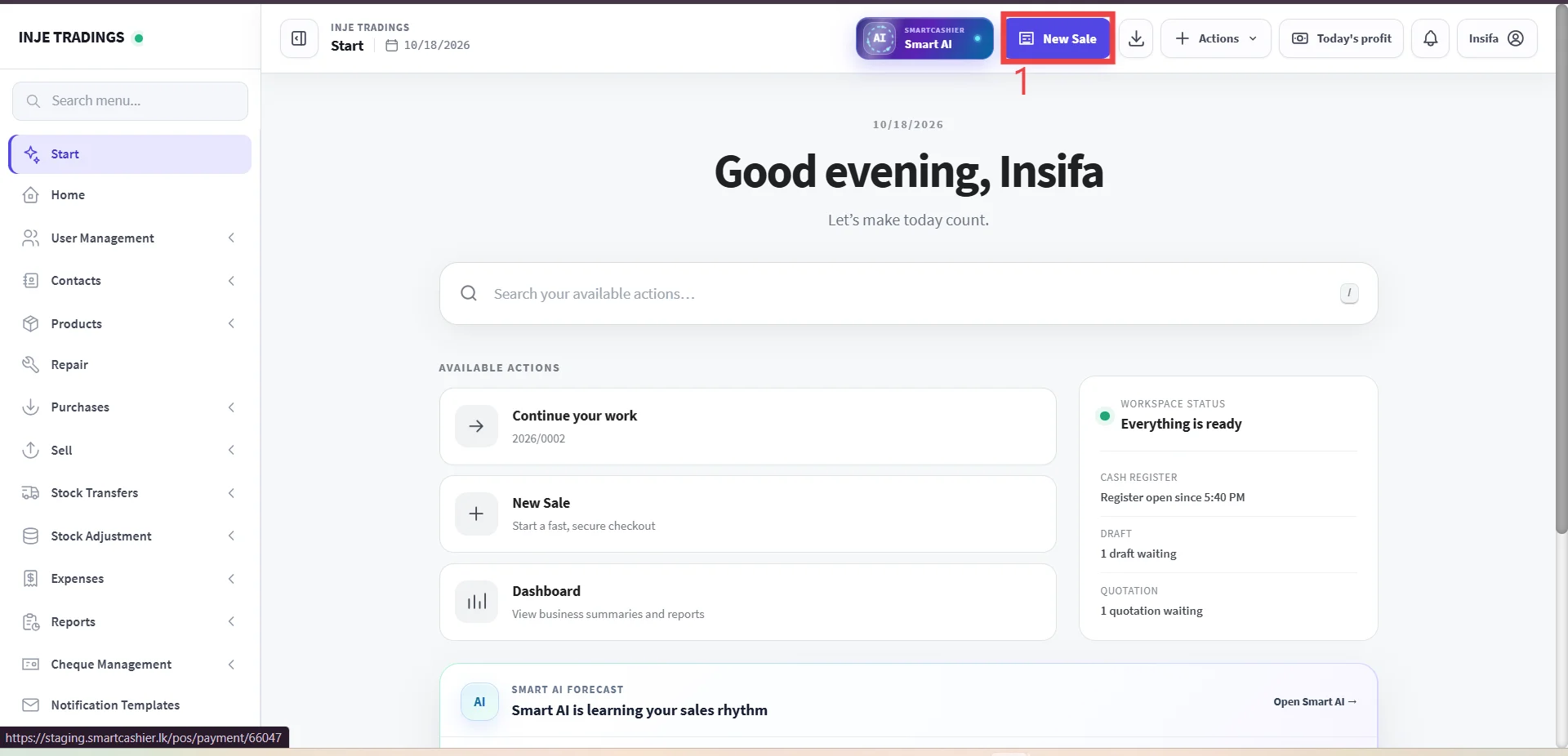
Step 1: Go to new sale.
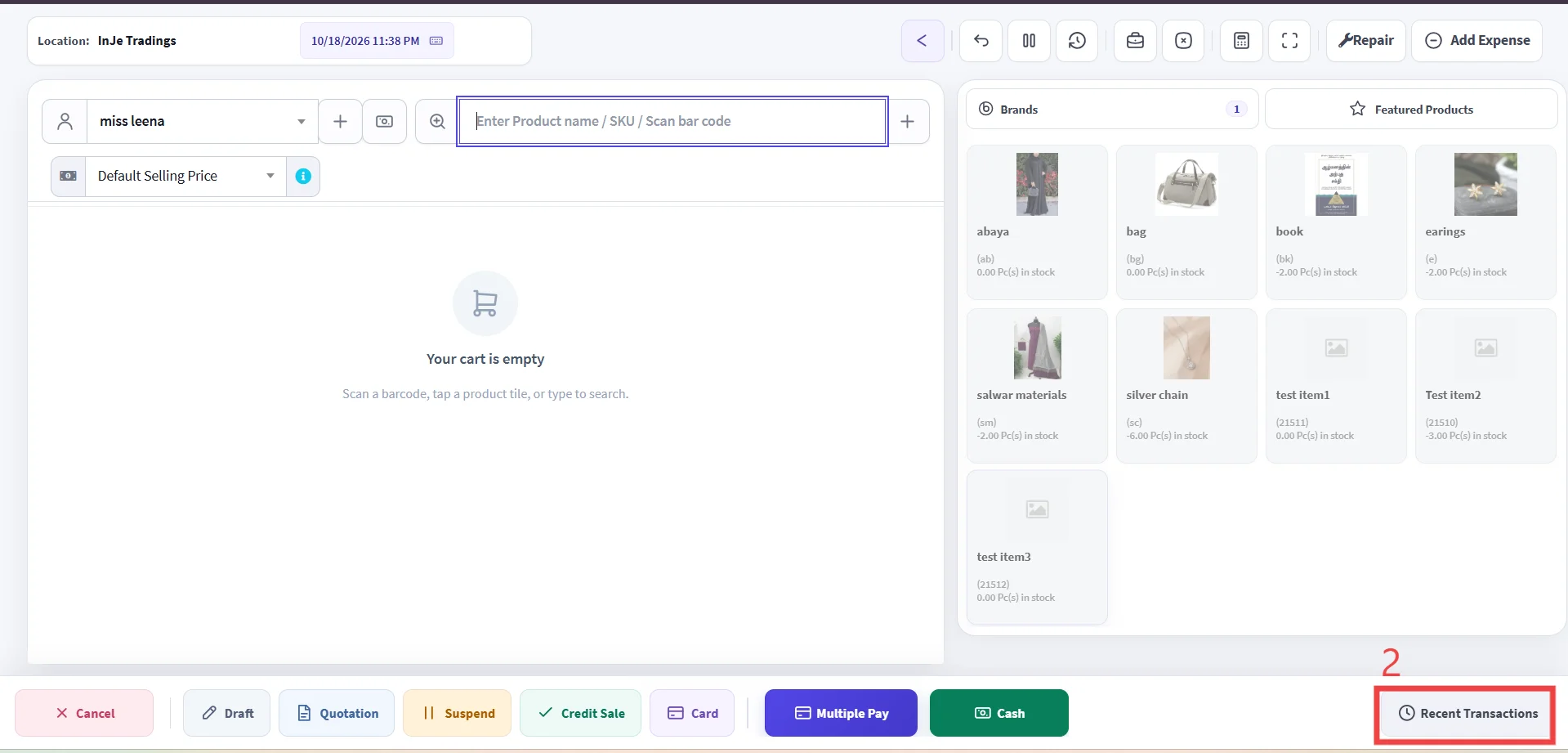
Step 2: Click Recent Transactions.
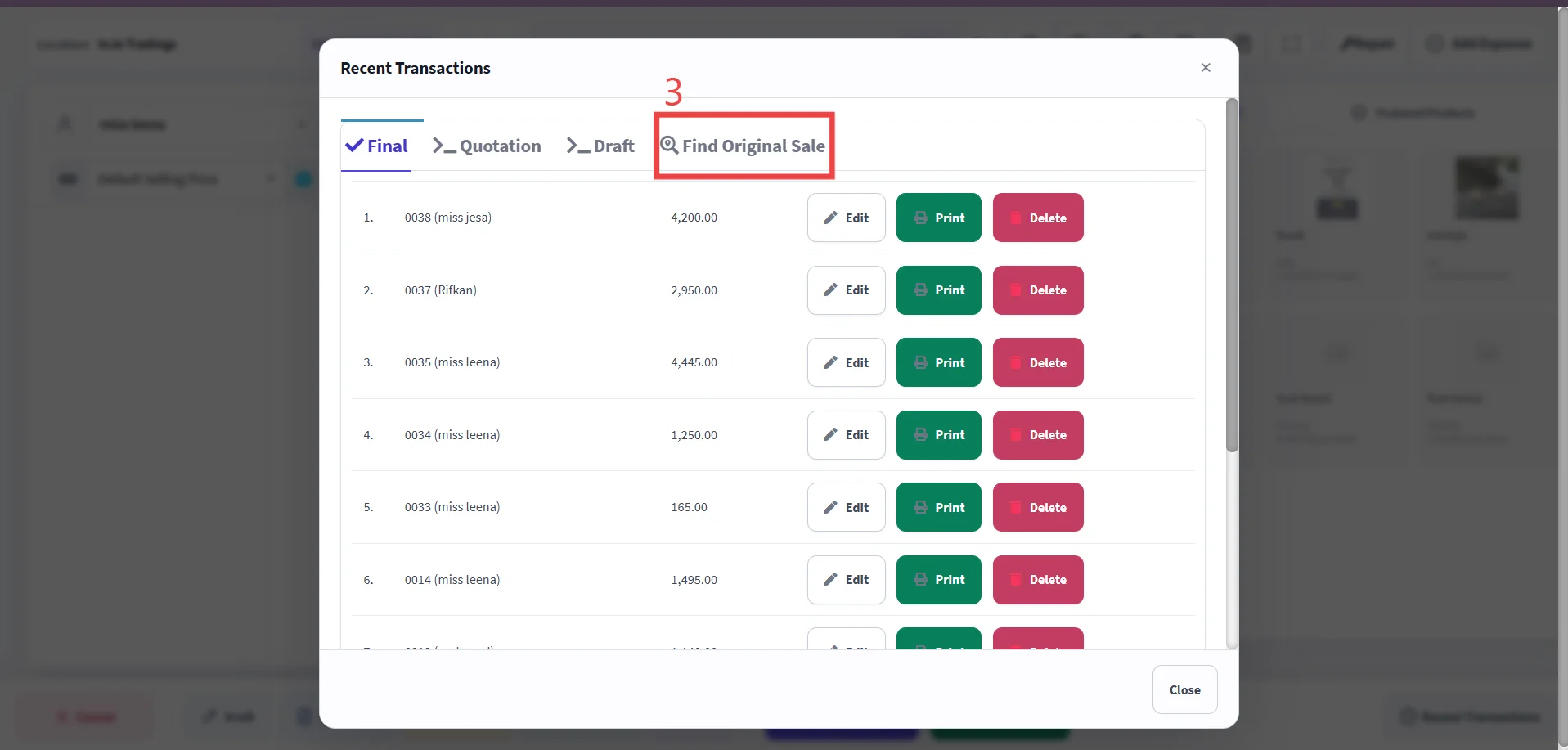
Step 3: Click Find original sale.
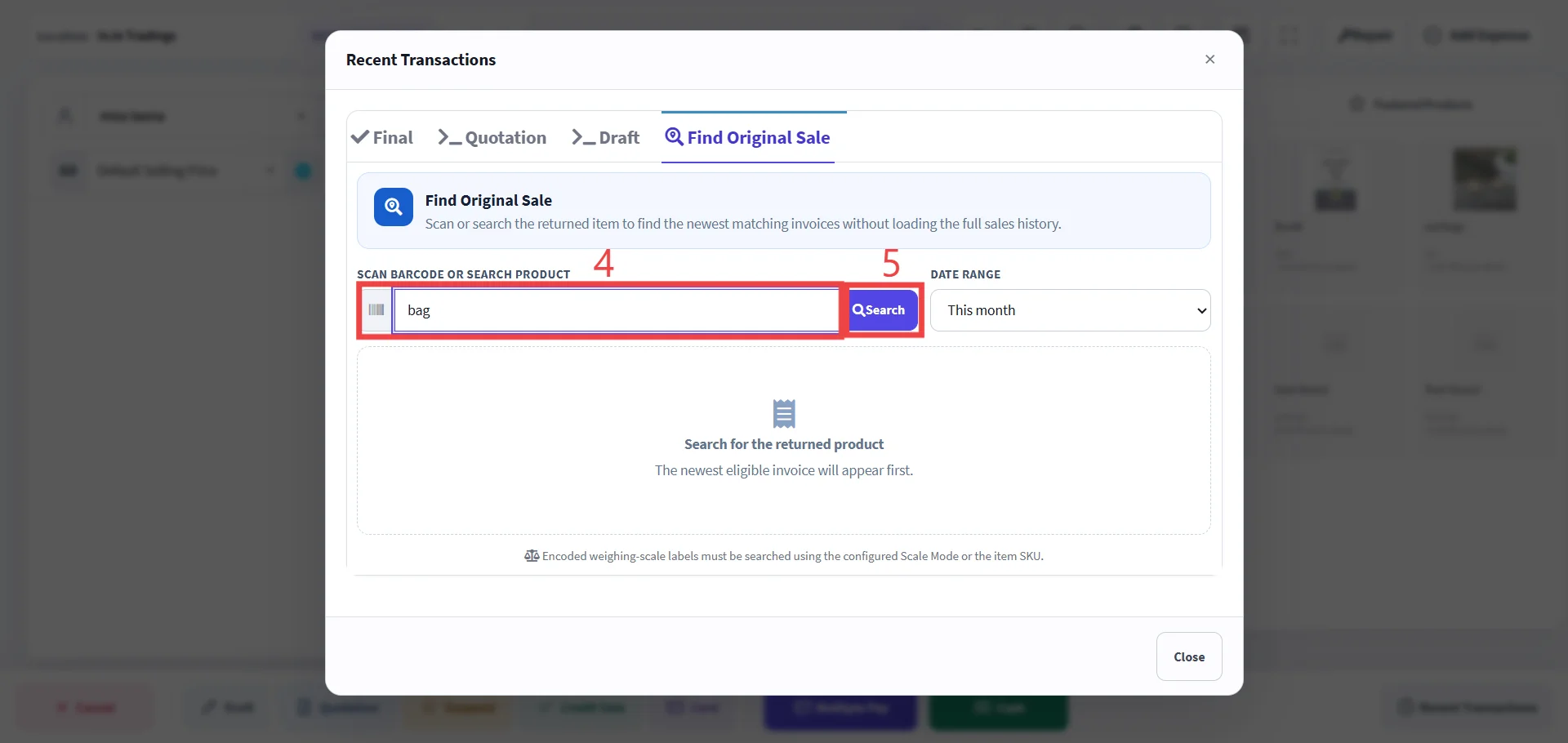
Step 4: Enter product name,SKU,Barcode.
Step 5: Click Search.
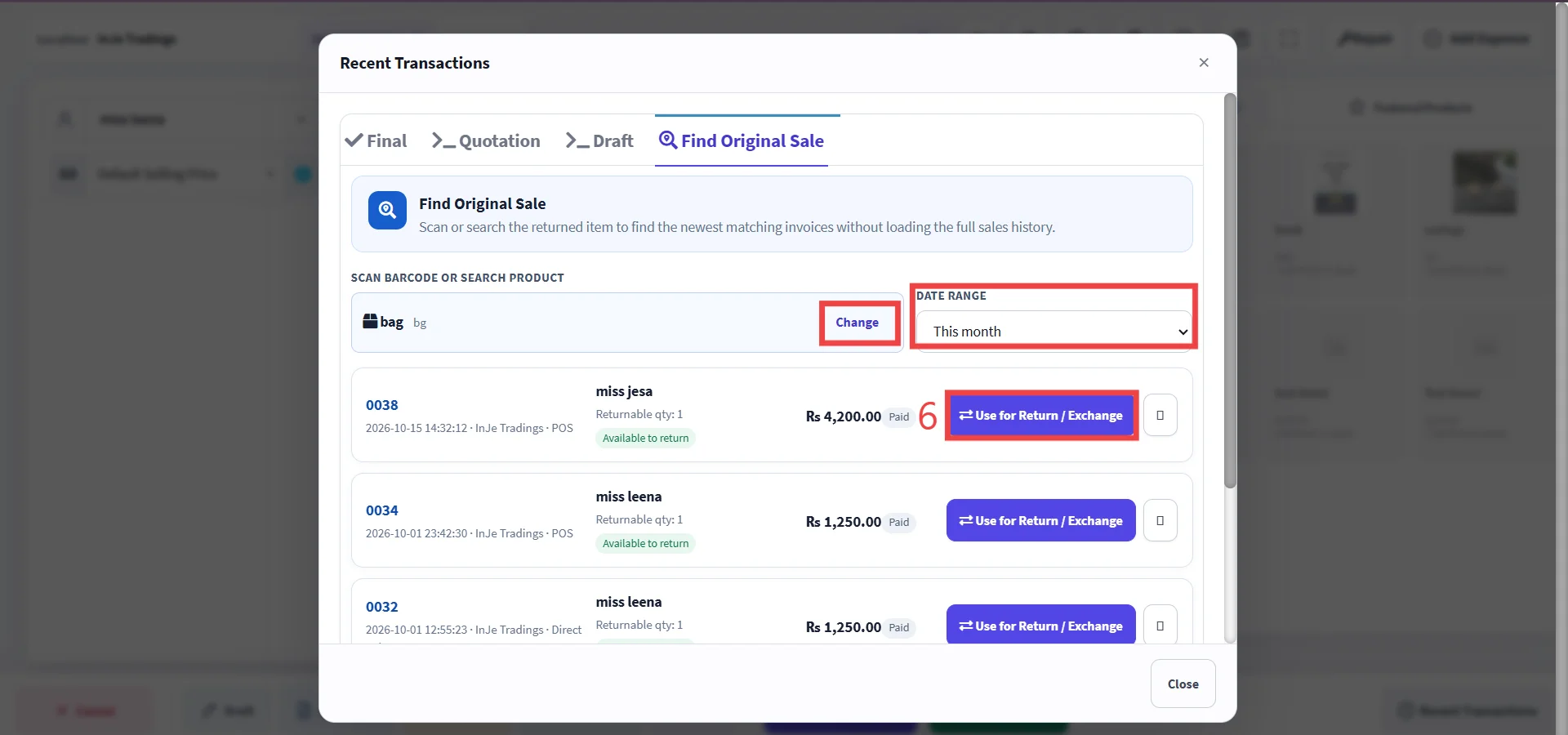
Pro Tip
If you select the wrong product, click Change to select the correct one. You can also view recent transactions by selecting a date range from the dropdown list.
Step 6: Click use for return/exchange.