Purpose
This guide helps you view and review a product’s stock history and track its stock movements.
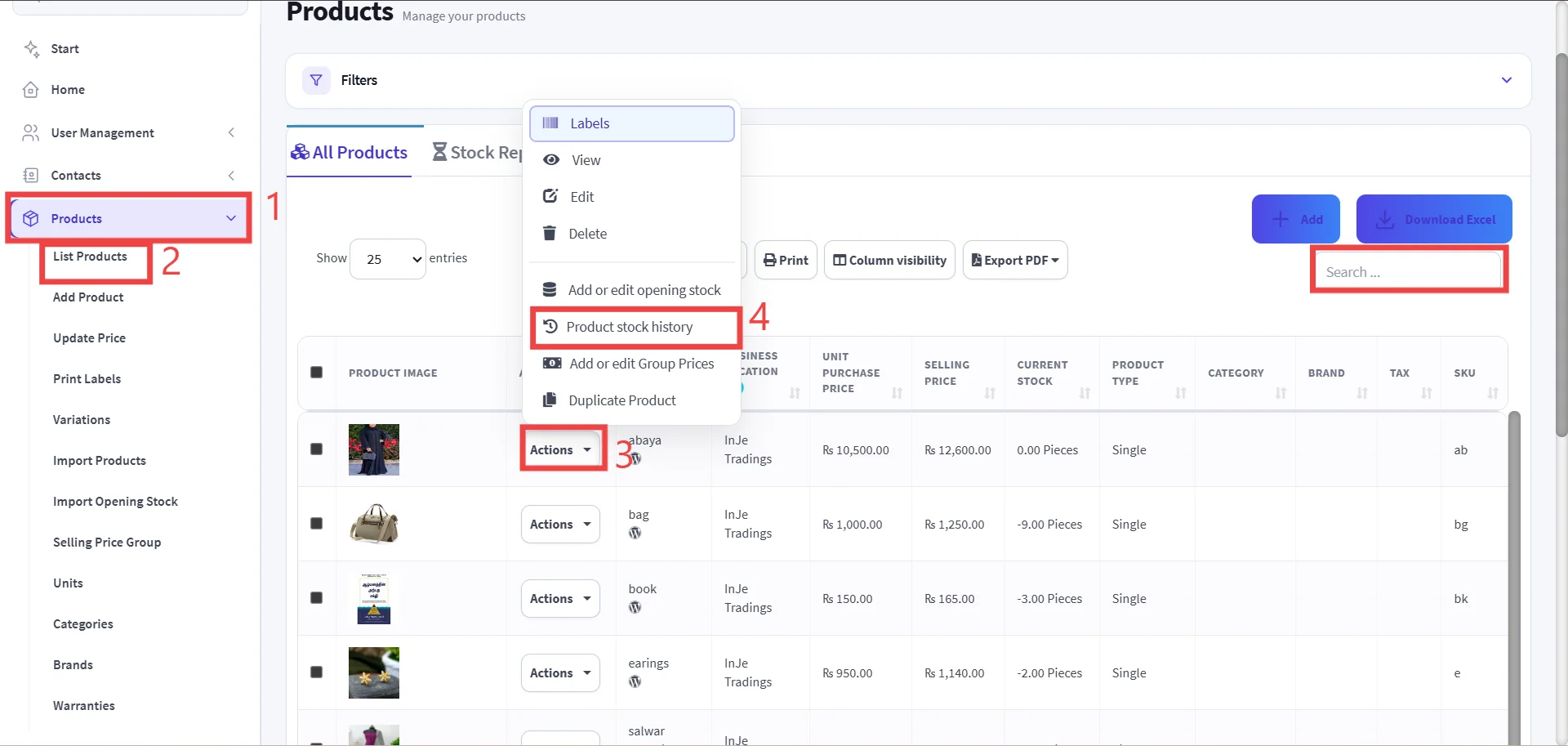
Step 1: Go to the Product.
Step 2: Click List Products.
Step 3: Find the Product & Click Action.
Use the search bar to search for the Product using product name and SKU and find the Product from the search results.
Important
Confirm that you have selected the correct product before checking its stock
Step 4: Select "Product Stock History."
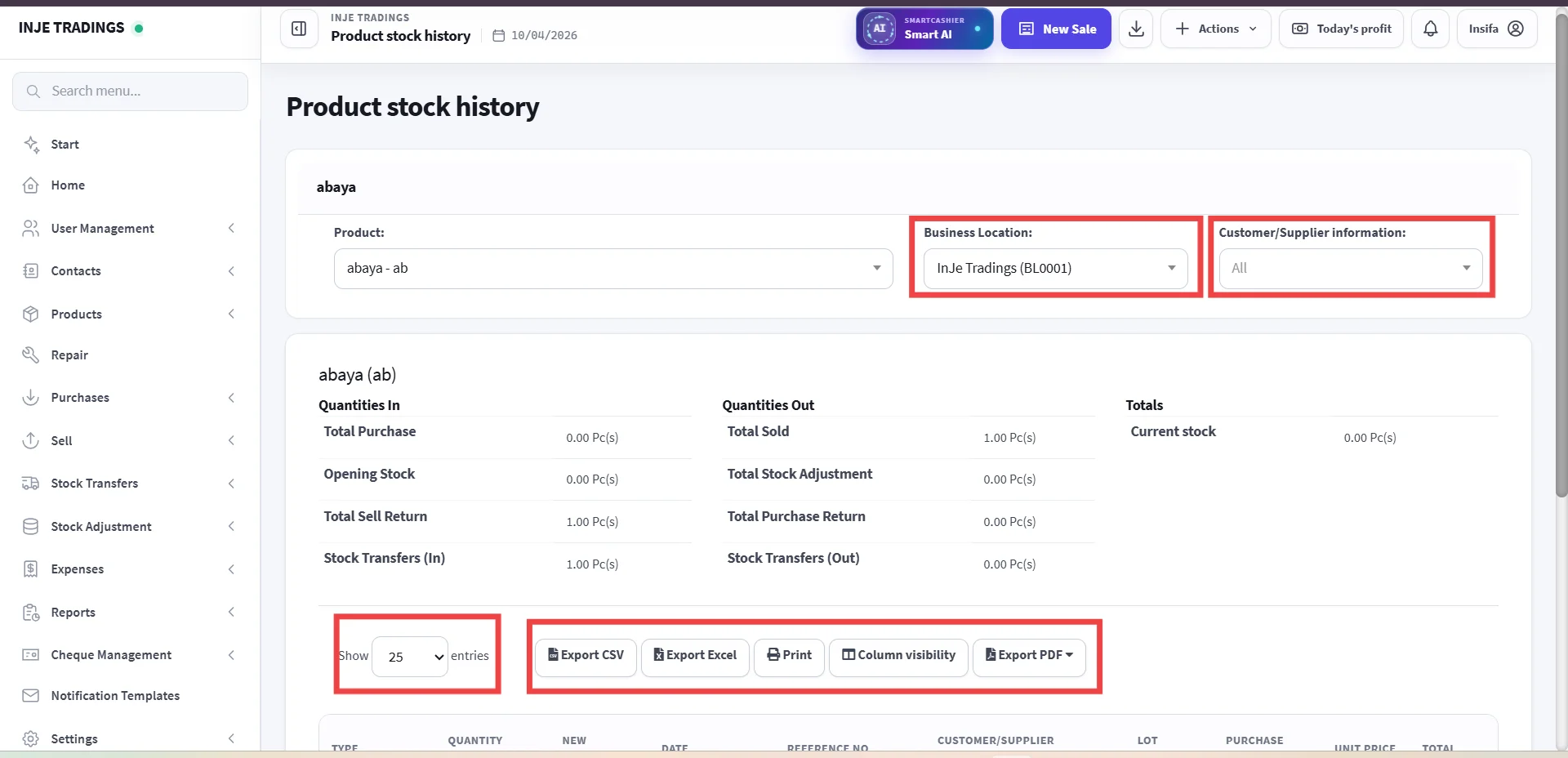
Step 5: Review the Stock History.
Pro Tip
If you manage multiple branches or stores, select the required store from the Business Location and use the Customer/Supplier Filter to trace their related history.
Pro Tip
Use the action buttons above the table to Export or Print the history reports and Column Visibility to hide or display specific columns according to your viewing needs.
Pro Tip
You can also increase the number of entries shown to view more records on one page.