Purpose
View a Product’s Details, Product Stock Details and Price Details without making any changes.
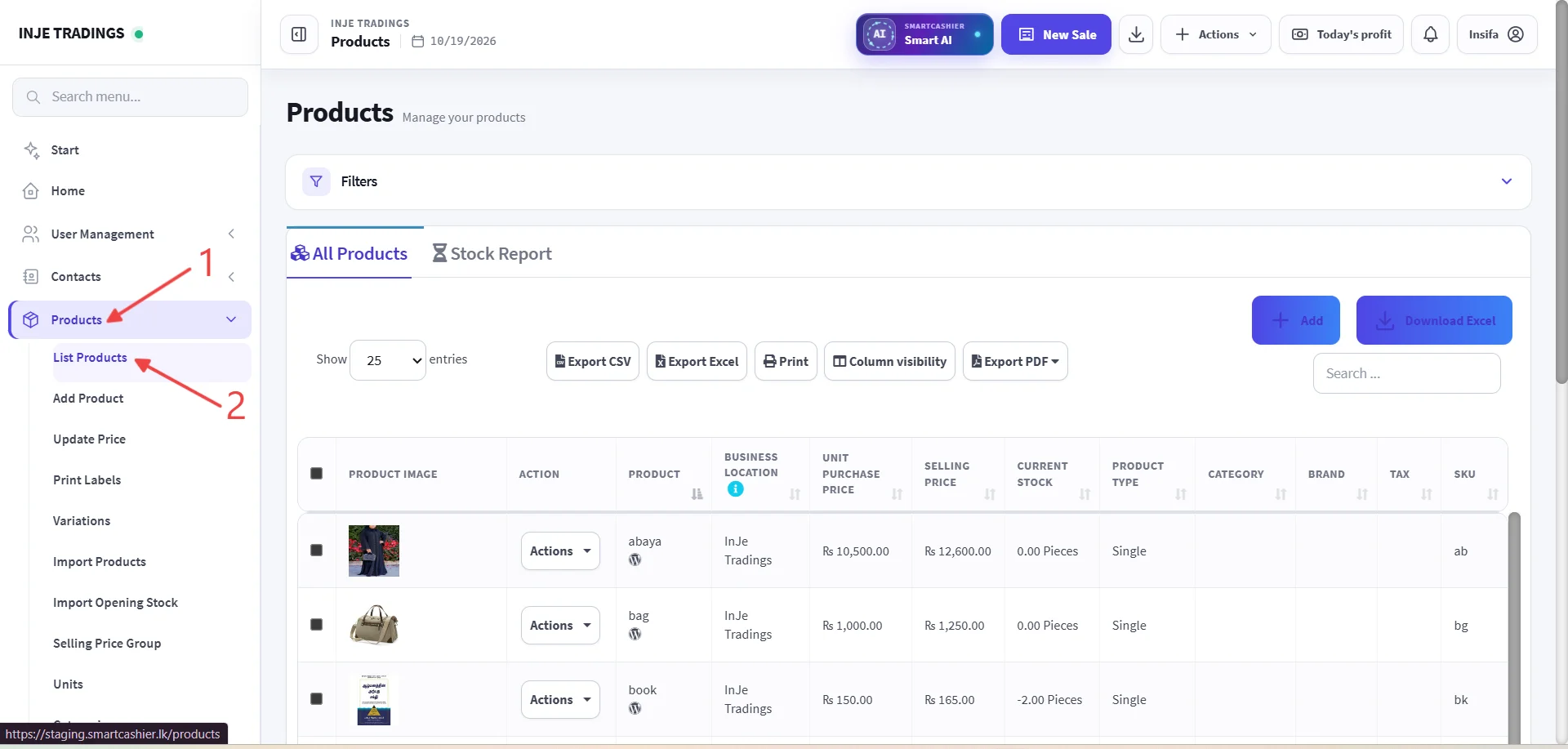
Step 1: Go to Products.
Step 2: Click List product.
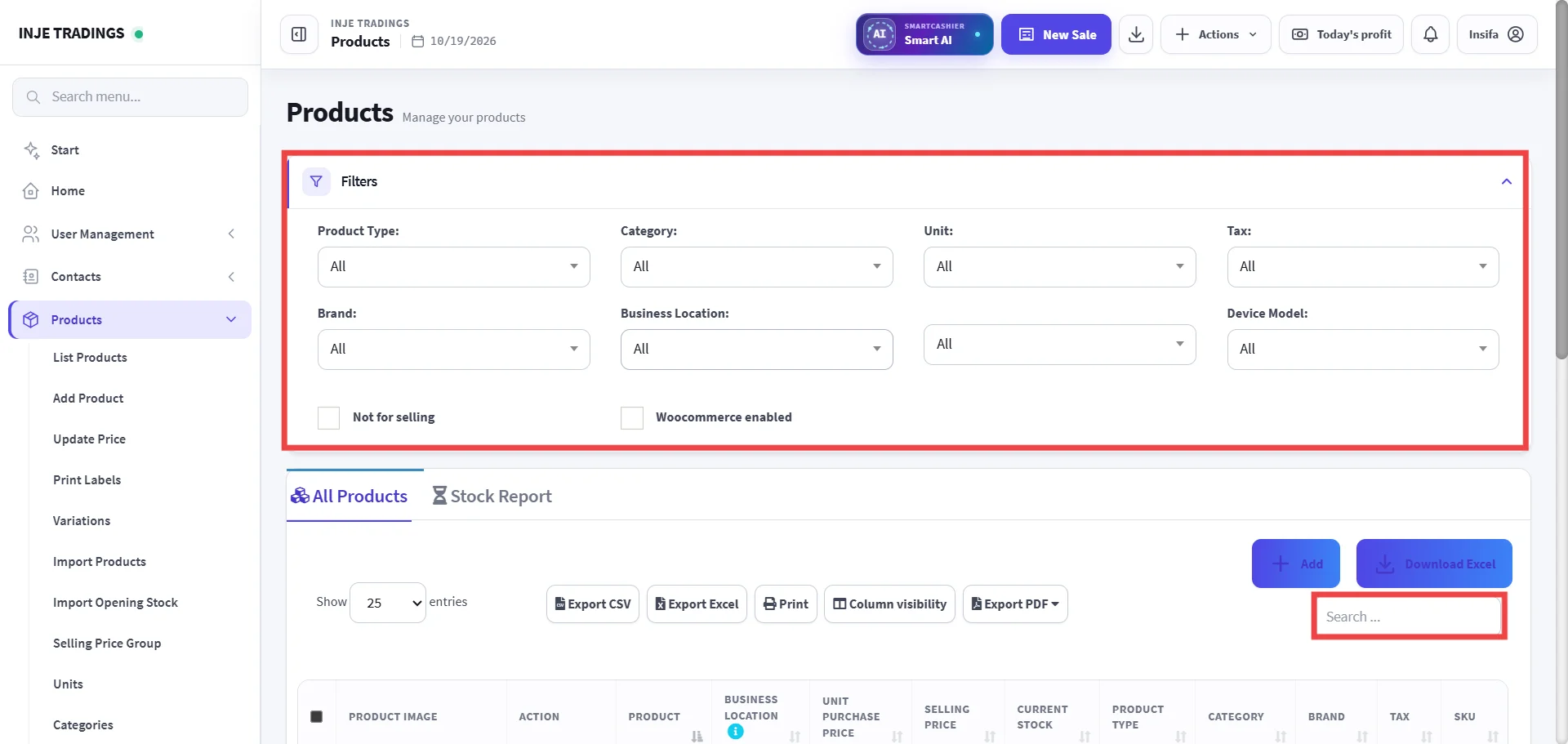
Step 3: Locate the Product.
You can use filters to find product easily and search the product using SKU, Product name.
Important
Make sure you have selected the correct product.
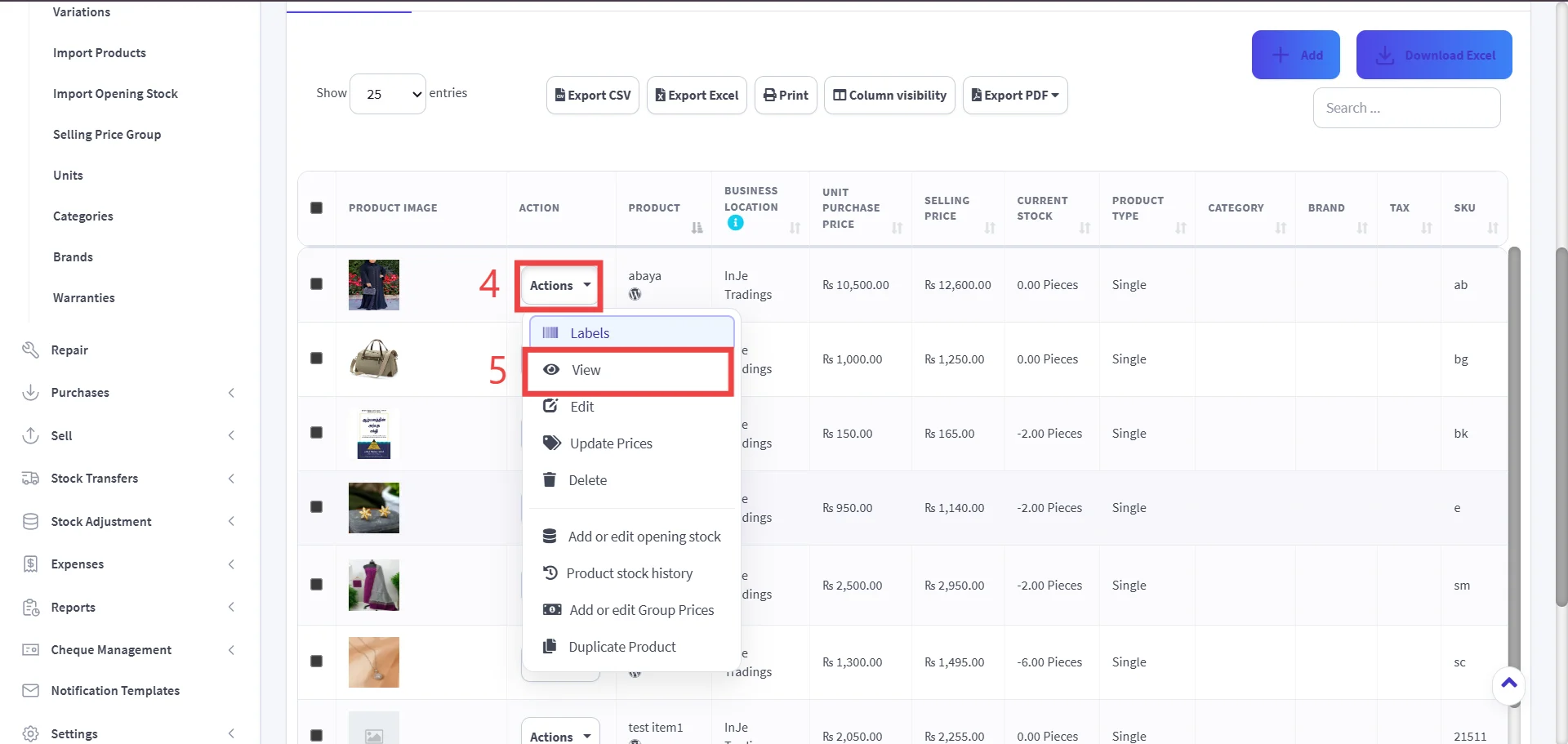
Step 4: Open the Action Menu.
Step 5: Select the View.
Viewing product details is a read only action; you cannot edit prices or stock quantities directly from this window.