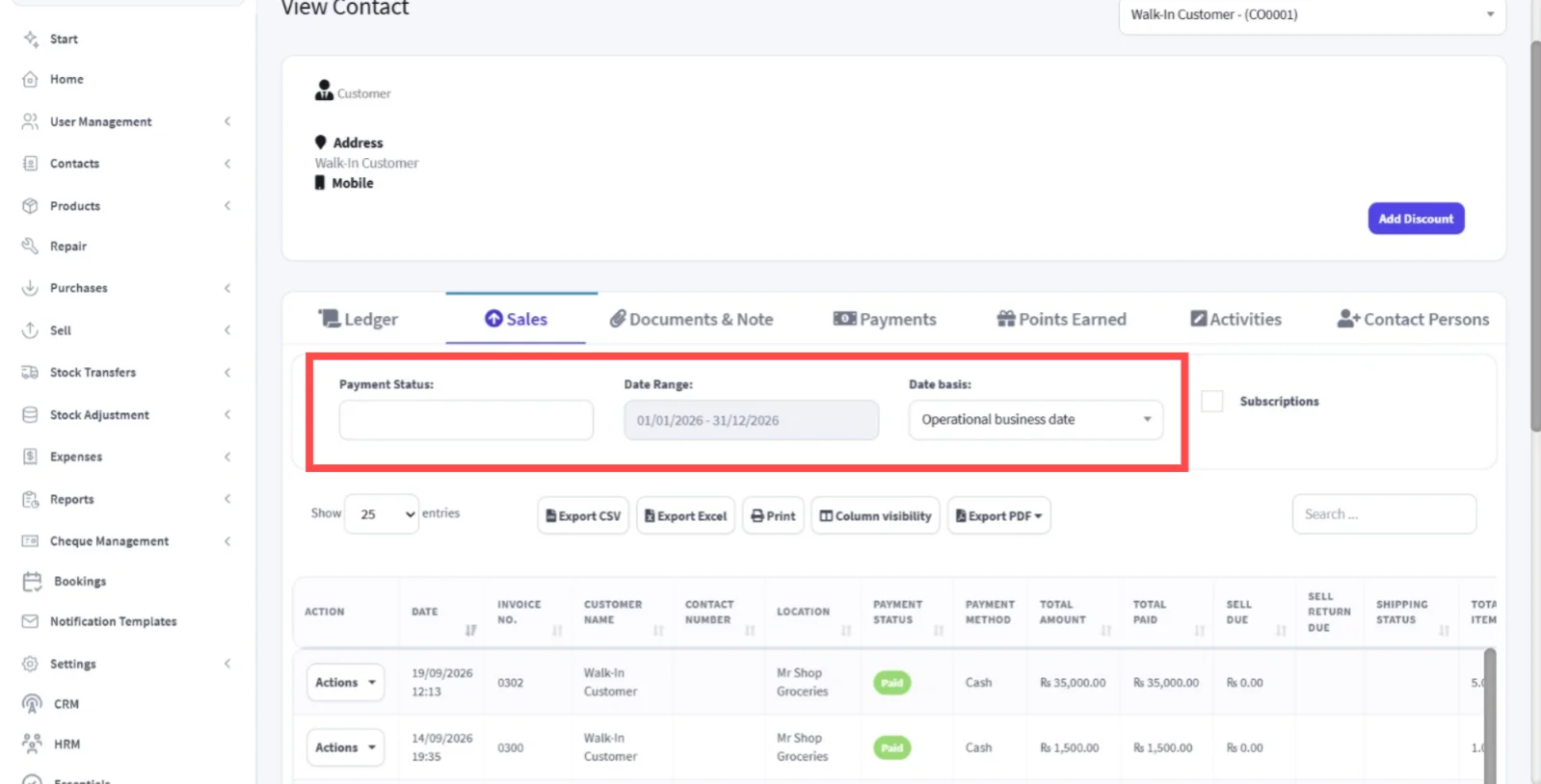
Purpose
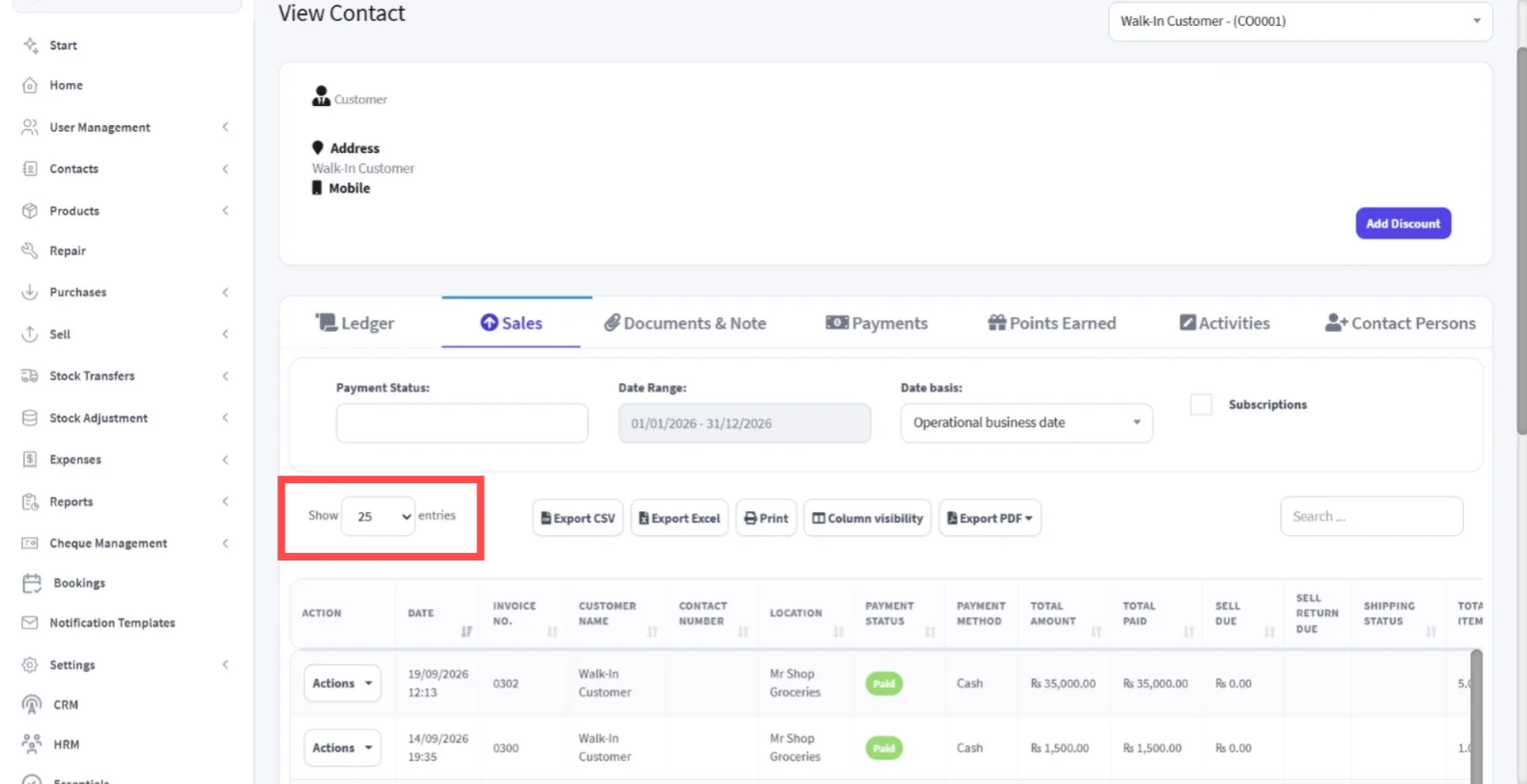
View all purchases made by a specific customer and it's related key transaction details, including payment statuses, payment methods, total amounts, amounts paid, sell dues, and sell return dues.
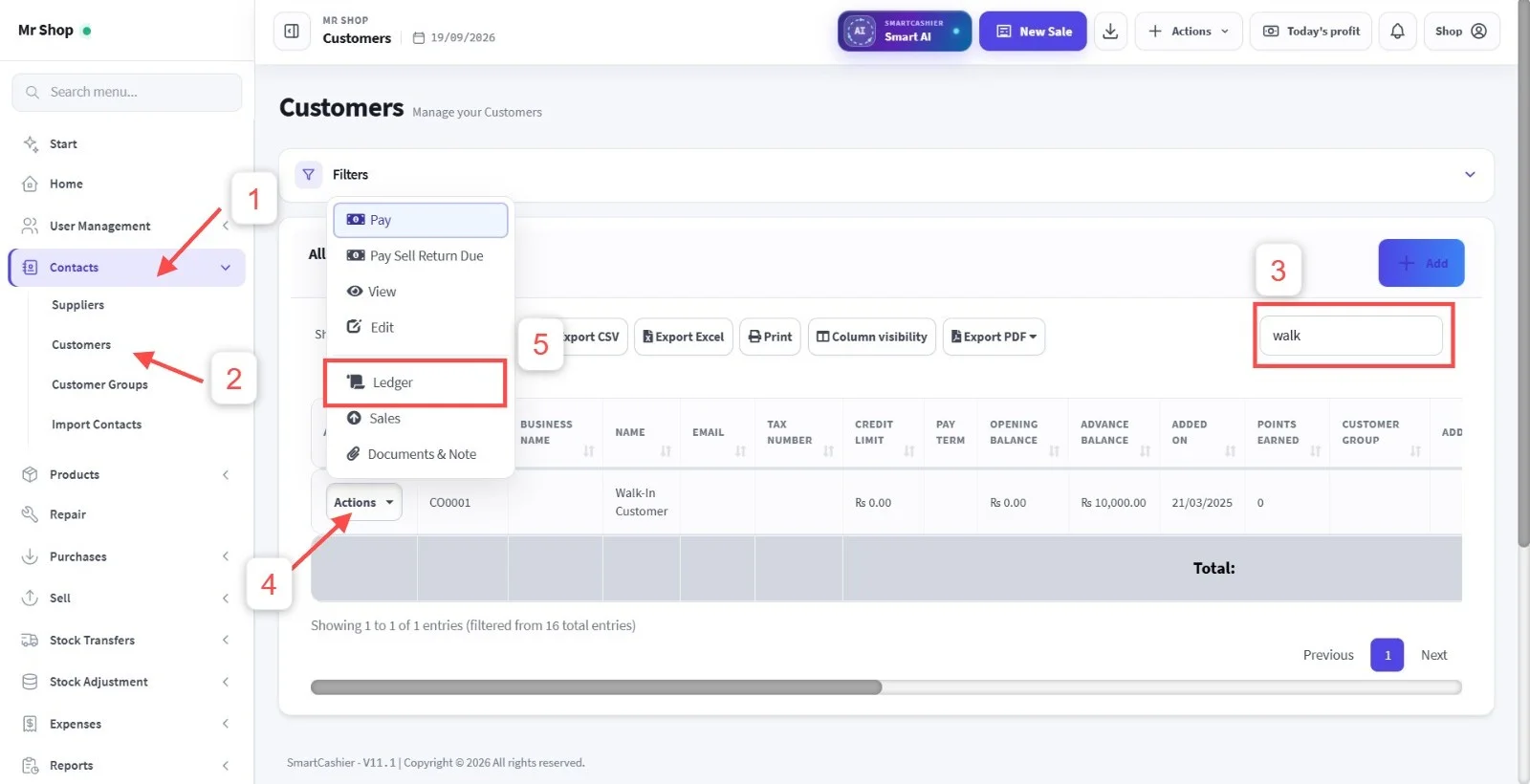
Step 1: Go to Contacts
Step 2: Select Customers
Step 3: Find the Customer
Use the search bar to search for the customer and find the customer from the search results.
Important
Make sure you select the correct customer, Because multiple customers can have similar names.
Step 4: Click Action
Click Action of the selected customer record
Step 5: Select Ledger
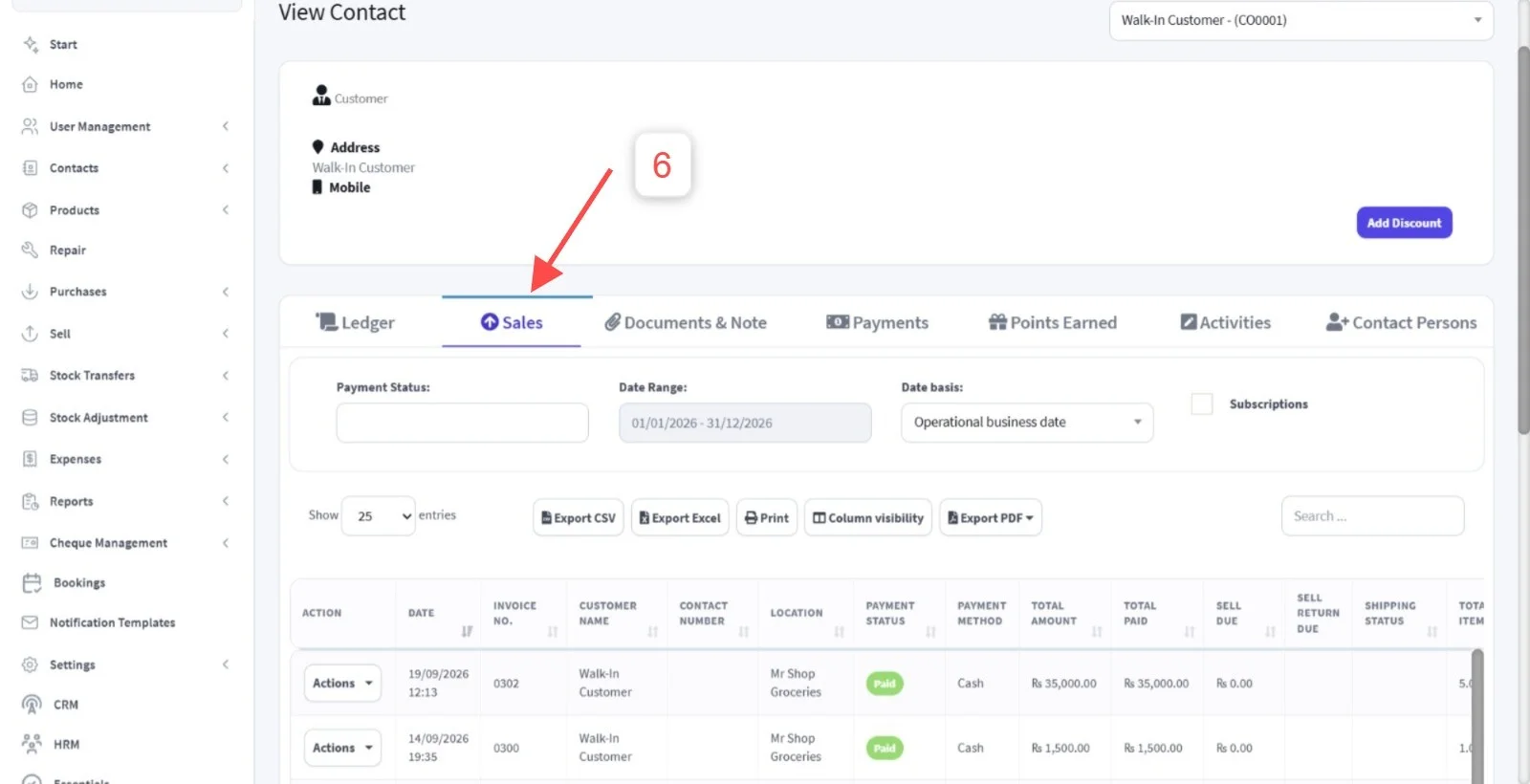
Step 6: Select Sales
SmartCashier will display all Purchases records made by the selected customer.
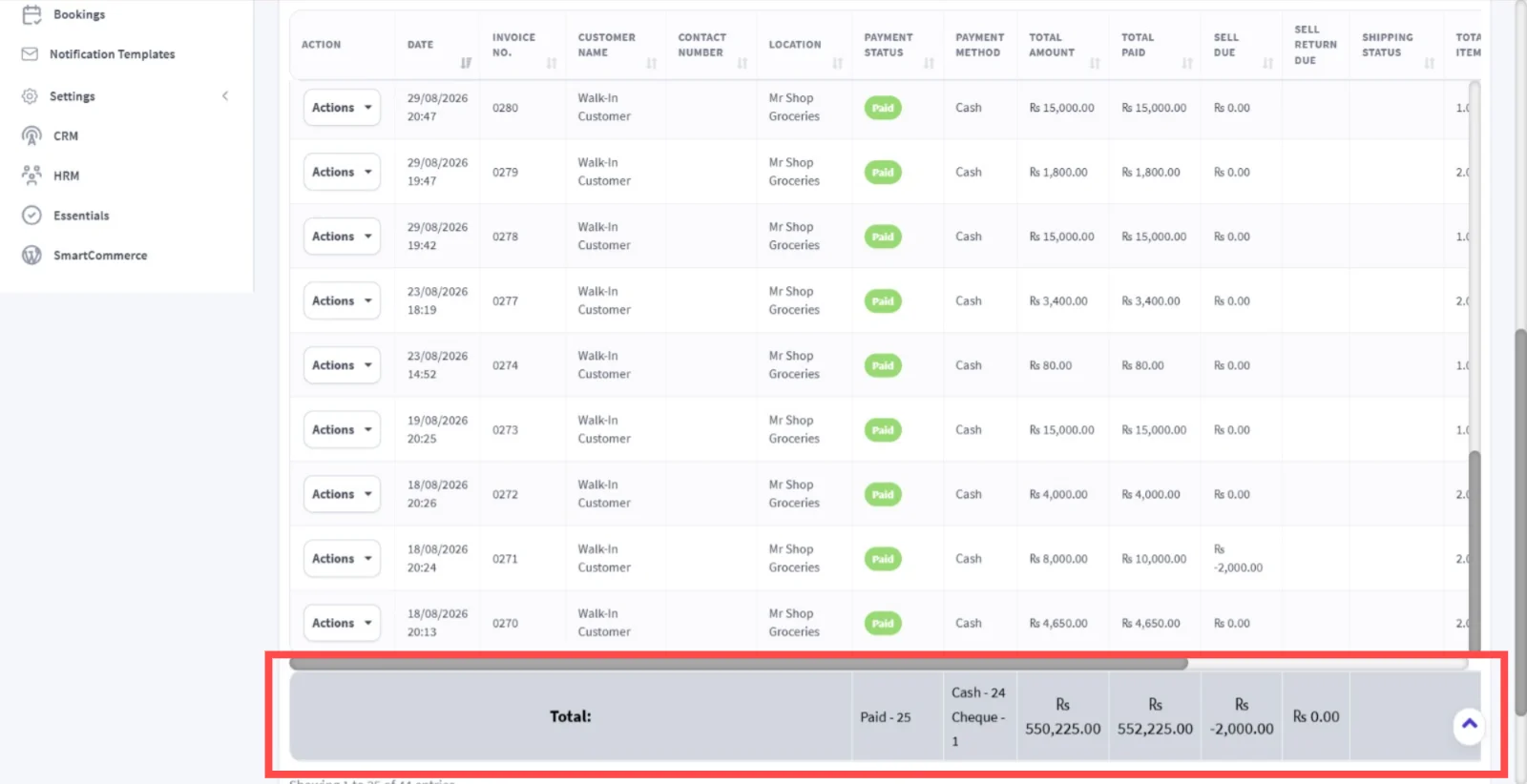
To see the customer's total Purchase details scroll to the bottom of the sales table.
Pro Tip
You can also increase the number of entries shown to view more records on one page.
Pro Tip
Use Payment Status, Date Range and Date Basis filters when you need to find specific sales records quickly.