How to Print Barcode Labels for Products
Navigation
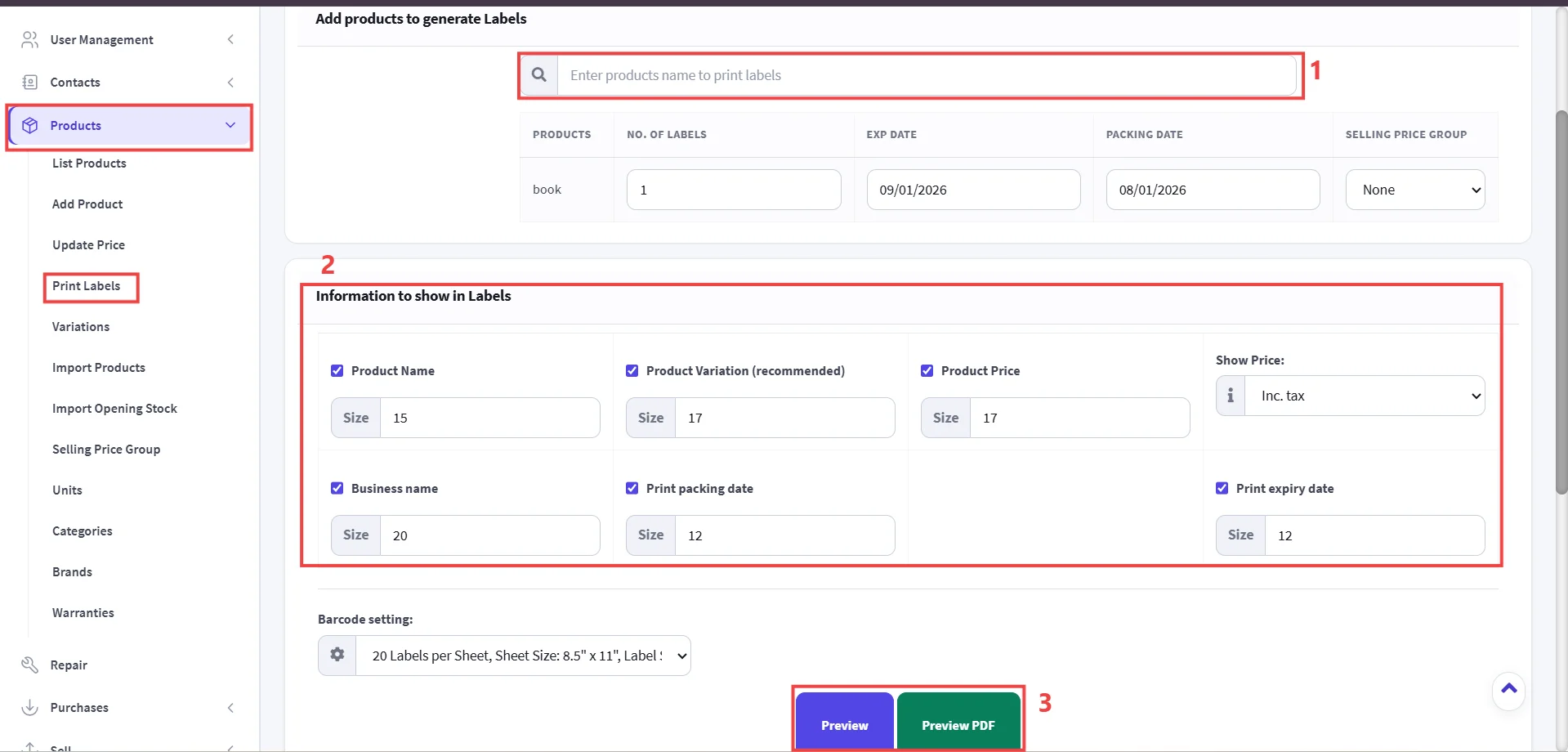
- Go to Products-> Select Print Labels.
Step 1: Add Products to Generate Labels.
Step 2: Select Information to Show on Labels.
Step 3: Configure Barcode Layout & Preview.
Step 4: Print Labels.
Important
Always test print a single sheet or label first to ensure barcode scanability and correct alignment on your sticker sheets.
Important
Adjusting the Size input boxes changes the font size of that specific text element on the printed sticker label.